

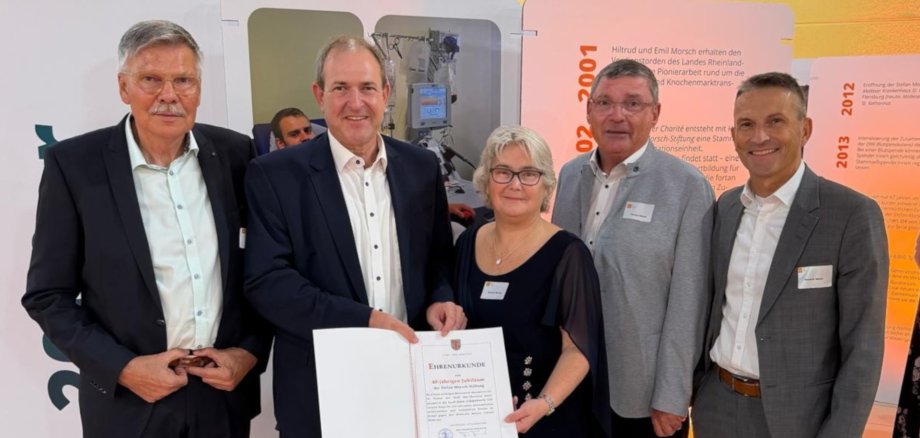
Four decades ago, the Morsch family suffered a devastating blow: Stefan Morsch, who was only 16 years old at the time, was diagnosed with leukemia. Thanks to a stem cell donation, he was given a chance at a cure in Seattle in 1984. When Stefan passed away shortly thereafter, his parents, Emil Morsch and his wife Hiltrud Morsch, decided to carry on their son’s legacy. On their initiative, the Stefan Morsch Foundation was established, laying the foundation for Germany’s first stem cell donor registry. Today, as the foundation’s chairwoman, Susanne Morsch continues her parents’ work with great dedication.
“From an immeasurable personal loss, Emil and Hiltrud Morsch have together created something that brings hope far beyond the borders of our region,” emphasized Mayor Frühauf. “What began as a courageous pioneering effort in the face of numerous obstacles has, to this day, opened up new prospects for countless leukemia and cancer patients worldwide. This life’s work continues to drive Emil and Susanne Morsch, as well as all the foundation’s employees, every day and deserves our utmost respect and recognition.”
The anniversary celebration provided a fitting setting for numerous emotional moments as well as inspiring presentations from the worlds of politics, medicine, business, and society. It became clear just how far medical research—and stem cell therapy in particular—has come in recent decades. The progress, which was impressively showcased, is encouraging and opens up opportunities for patients today that would have been unthinkable 40 years ago. The foundation’s success has always been based on the willingness of the many volunteers to help.
“For four decades, the Stefan Morsch Foundation has shown how compassion can lead to tangible help,” said Mayor Frühauf. “Idar-Oberstein is proud to be home to this extraordinary institution. My thanks go to all the staff members, the donors, and the Morsch family, who have accompanied and supported the foundation over the years. The past 40 years have been an impressive success story. At the same time, we look to the future with confidence, as medical advances continue to evolve and open up ever-new ways to save lives and give hope.”