Information on Rat Control
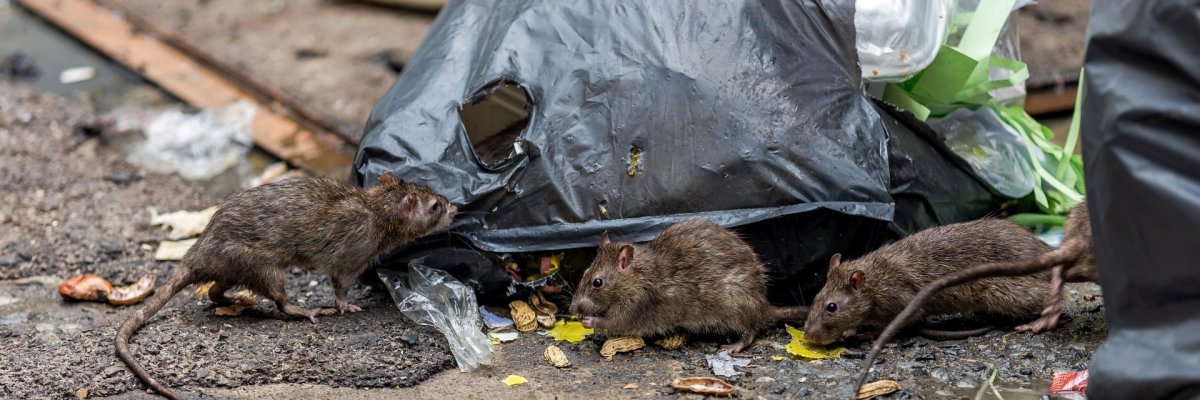
Rats can appear anywhere they find sufficient food, water, and suitable shelter. They can also become a problem in residential areas, public parks, and sewer systems.
The city of Idar-Oberstein would therefore like to work together with its residents to help prevent rat infestations and to identify and resolve existing problems at an early stage.
On this website, you will find information about:
- Signs of a rat infestation
- Preventive Measures
- What to Do If You See a Rat
- Responsibilities and Contacts
- Downloads
Signs of a rat infestation
- Rat droppings and traces of urine
- Footprints and grease marks
- Gnaw marks on materials
- Holes in the ground and underground passages
- Noises in hollow spaces, basements, or attic areas
Preventive Measures
Cut off food sources
- Do not leave food scraps, leftovers, or pet food out in the open and accessible.
- Do not dispose of food scraps in the toilet or throw them on the compost pile. Use closed composting systems and ensure they are used properly.
- Do not dispose of food scraps in the yellow bag or in any accessible trash. Store the yellow bags out of reach of rats until they are picked up.
- Dispose of trash only in the designated trash cans; never next to them. Keep the trash cans tightly closed.
- Preventing Food Leftovers - Do not leave bird and cat food out in the open! (Remove any leftover food after feeding.)
Remove nesting sites and hiding places- Regularly clear out and tidy up properties and parts of buildings (basements, yards, gardens, stables, garden sheds, etc.).
- Eliminate potential hiding places—for example, by regularly thinning out hedges and bushes and keeping ground cover short.
Prevent Access to Buildings- Seal any openings and holes in the house.
- Seal doors and gates.
- Install fine-mesh metal screens on basement windows and ventilation openings.
- Install backflow valves in the drainage system and immediately repair defective sewer pipes and other building connections.
What to Do If You See a Rat
Have you seen a rat or found signs of a rat infestation? Please notify the appropriate authorities as soon as possible. A detailed description of where you found it will help assess the situation and determine which authority is responsible.
When reporting the issue, please include the following information if possible:- Exact location, including street name and, if applicable, house number.
- Date and time of the observation
- Number of animals observed
- Description of the Situation
- If available: a photo taken from a safe distance
Please note: In the event of an infestation on private property, the property owner is generally responsible for taking the necessary measures to control it. This should be done by a professional pest control service.Responsibilities and Contacts
Depending on where in the Idar-Oberstein city area a rat infestation occurs, responsibilities vary:
Area Jurisdiction Private property Property Owner Rental Apartment Notify the landlord or owner Public streets, squares, and green spaces Idar-Oberstein city administration Sewer System Idar-Oberstein municipal utilities Business and Hospitality Operator or owner; public health department, if applicable Reports of rat sightings to the Idar-Oberstein City Administration or Idar-Oberstein Public Utilities can be submitted to the Central Report Management Office via email at meldungen@idar-oberstein.de or online through the RLP damage reporting system.
Under the Infection Protection Act, the Birkenfeld District Health Department takes the necessary control measures if pests harmful to human health are detected and there is a justified risk that the pests will spread pathogens. As part of its investigation, the Public Health Department may conduct on-site inspections. Any costs incurred for the relevant measures and/or the pest control service must be borne by the homeowner or property owner.
Downloads