

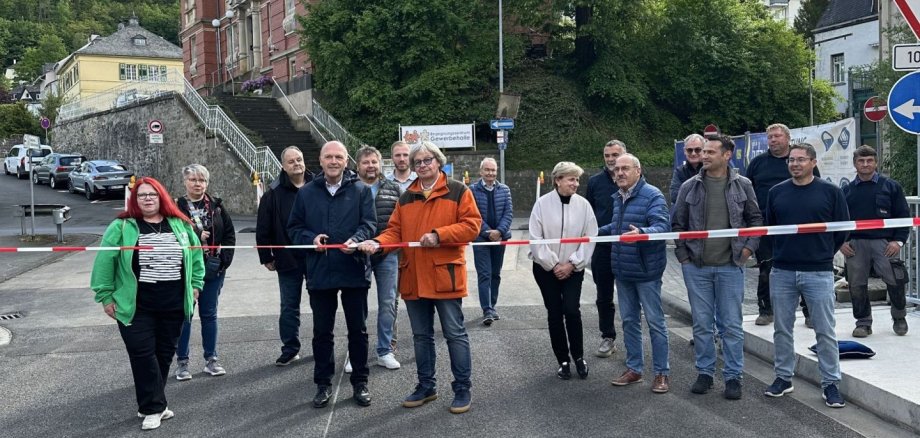
After eight months of construction work, during which the bridge over the commercial hall was completely closed, the important link between Hauptstraße and Mainzer Straße was reopened to traffic in both directions a few days ago. Together with contractor Dr. Paul Uwe Budau, representatives of the municipal committees, those involved in the construction work and local residents, Mayor Friedrich ceremoniously cut the barrier tape to officially open the bridge.
At 8.35 meters long, the industrial bridge may not be a large structure, but it is of great importance for the smooth flow of traffic in the Idar district. "Infrastructure is not just measured in tons or meters, but in how much it shapes our everyday lives," says Mayor Friedrich Marx, describing the situation that has led to inconvenient detours for many citizens. "You often only realize what you have when it's missing - the past few months have clearly shown that," continued the mayor.
The measure was triggered by significant damage to the underside of the structure, which was discovered during the main inspection in 2019. Repairs were therefore unavoidable. As an initial safety measure, a one-way system was set up immediately to reduce the load on the bridge. After around six years of restrictions, the renovation work began in September 2025, which also involved other utilities such as the municipal utilities with the water supply, Westnetz with the gas supply and Telekom and Vodafone for the telephone and internet lines. Mayor Marx praised the timely completion: "With costs of around 390,000 euros, we remained well below the estimated sum of 670,000 euros. With work like this, you never know what will come out from under the asphalt."
His special thanks went to Dr. Budau and his team, Jürgen Bolander from the planning office WPM and the city's civil engineering department, represented by Andrea Rausch and Torsten Hub. His thanks also went to the state government, which supported the expansion financially with 132,000 euros from the investment fund.
As soon as the barriers were cleared, the first cars drove over the new bridge. This reopened an important link for people in their everyday lives.