

This page was automatically translated using artificial intelligence. As a result, the text may contain discrepancies or inaccuracies. Only the original version is binding. No legal claims arising from the content of the translated version will be accepted.

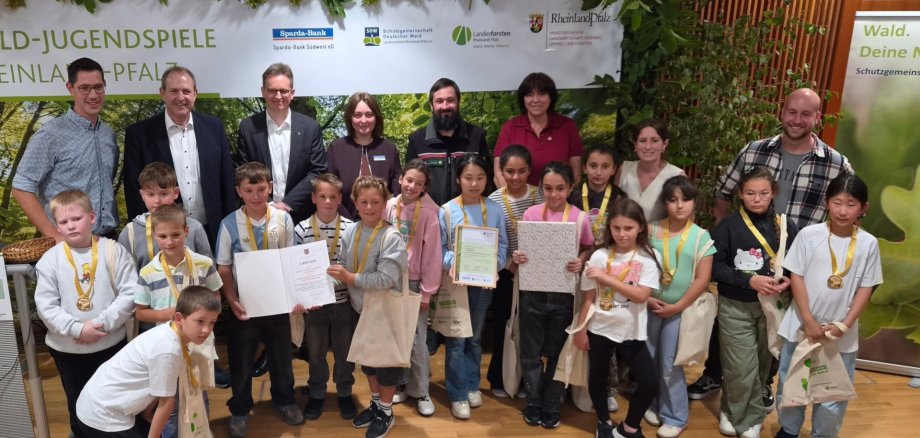
GS Göttschied Wins at the Forest Youth Games

She achieved the highest score in the state and was delighted to receive a special prize: a guided tour of the Natural History Museum in Mainz. Mayor Frank Frühauf was also present at the awards ceremony at the Ministry of Agriculture, Viticulture, Environment, and Forestry (MLWUF) in Mainz and surprised the students with a certificate from the city of Idar-Oberstein.

The Forest Youth Games have been organized since 1982 by the German Forest Protection Association (SDW)—Rhineland-Palatinate Regional Association—in cooperation with the Rhineland-Palatinate State Forestry Department and the ministries responsible for forestry and education. The Games have established themselves as the largest youth environmental education event in Rhineland-Palatinate and have become an integral part of daily life at many schools. Michael Mätzig, State Secretary at the MLWUF, emphasized at the awards ceremony: “The Forest Youth Games create authentic experiences that last a lifetime. They combine experiencing nature with team spirit and playfully convey the value of our forests: from water reservoirs and habitats for numerous species to wood as a climate-friendly raw material. Together with the schools, our foresters are demonstrating tremendous commitment and making an important contribution to sustainable education.”

Help with accessibility

  • General

    We make every effort to ensure that our websites are accessible. You can find details on this in our accessibility statement. You can send us suggestions for improvement using our feedback form.

  • Font size

    To adjust the font size, please use the following key combinations:

    Larger

    ⌘command
    +

    Smaller

    ⌘command
    –

    Larger

    Ctrl
    +

    Smaller

    Ctrl
    –
  • Keyboard navigation

    Use TAB and SHIFT + TAB to navigate through next/previous links, form elements and buttons.

    Use ENTER to open links and interact with elements.

  • Contrast mode

    Press the following key combination to reduce or increase the contrast:

    Enlarge

    ⌃control
    ⌥option
    ⌘command
    .

    Decrease

    ⌃control
    ⌥option
    ⌘command
    ,
    Note: The shortcuts must be activated in the system settings of the operating system.

    Press the left ALT key + left SHIFT key + PRINT to quickly switch the high contrast mode on or off.

  • Invert colors

    Press the following key combination to switch the color inversion on and off:

    ⌃control
    ⌥option
    ⌘command
    8
    Note: The shortcuts must be activated in the system settings of the operating system.

    First activate the screen magnifier and then switch the color inversion on and off with the following key combinations:

    1. screen magnifier

    +

    2. invert colors

    Ctrl
    Old
    I
  • Screen magnifier

    Press the following key combinations to use the screen magnifier:

    Switch on/off

    ⌥option
    ⌘command
    8

    Enlarge view

    ⌥option
    ⌘command
    =

    Reduce view

    ⌥option
    ⌘command
    –
    Note: The shortcuts must be activated in the system settings of the operating system.

    Switch on / Enlarge view

    +

    Reduce view

    –

Select language