

This page was automatically translated using artificial intelligence. As a result, the text may contain discrepancies or inaccuracies. Only the original version is binding. No legal claims arising from the content of the translated version will be accepted.

Christmas Magic at Realschule Plus

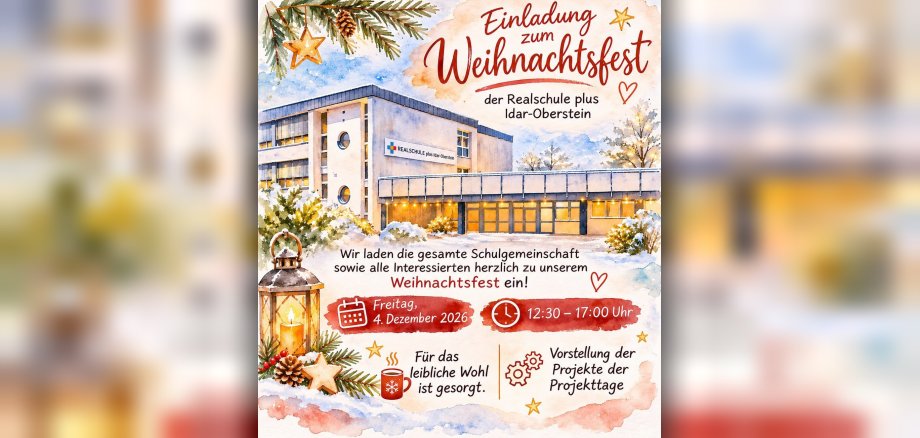
When the scent of Christmas is in the air and the anticipation of the holiday season is palpable, the Realschule Plus on Rostocker Straße opens its doors: On Friday, December 4, 2026, from 12:30 p.m. to 5:00 p.m., students, parents, alumni, and anyone else interested are cordially invited to the big Christmas celebration. Visitors can look forward to a varied afternoon filled with Christmas spirit and creative insights into school life. A special highlight will be the presentation of the results from the various project days. With great dedication, ingenuity, and creativity, the students have explored a variety of topics and brought exciting projects to life. Now is your chance to discover the work they’ve produced and learn about the diversity of school activities.

Of course, there will be plenty of treats as well: Refreshments will be plentiful, so nothing stands in the way of a cozy get-together in a pre-Christmas atmosphere. The Christmas celebration is not only meant to provide an opportunity to present the results of our collaborative project work, but above all to bring people together, foster connections, and share the anticipation of Christmas with one another. The Realschule Plus looks forward to welcoming many visitors and cordially invites everyone to join us for an festive afternoon!

Help with accessibility

  • General

    We make every effort to ensure that our websites are accessible. You can find details on this in our accessibility statement. You can send us suggestions for improvement using our feedback form.

  • Font size

    To adjust the font size, please use the following key combinations:

    Larger

    ⌘command
    +

    Smaller

    ⌘command
    –

    Larger

    Ctrl
    +

    Smaller

    Ctrl
    –
  • Keyboard navigation

    Use TAB and SHIFT + TAB to navigate through next/previous links, form elements and buttons.

    Use ENTER to open links and interact with elements.

  • Contrast mode

    Press the following key combination to reduce or increase the contrast:

    Enlarge

    ⌃control
    ⌥option
    ⌘command
    .

    Decrease

    ⌃control
    ⌥option
    ⌘command
    ,
    Note: The shortcuts must be activated in the system settings of the operating system.

    Press the left ALT key + left SHIFT key + PRINT to quickly switch the high contrast mode on or off.

  • Invert colors

    Press the following key combination to switch the color inversion on and off:

    ⌃control
    ⌥option
    ⌘command
    8
    Note: The shortcuts must be activated in the system settings of the operating system.

    First activate the screen magnifier and then switch the color inversion on and off with the following key combinations:

    1. screen magnifier

    +

    2. invert colors

    Ctrl
    Old
    I
  • Screen magnifier

    Press the following key combinations to use the screen magnifier:

    Switch on/off

    ⌥option
    ⌘command
    8

    Enlarge view

    ⌥option
    ⌘command
    =

    Reduce view

    ⌥option
    ⌘command
    –
    Note: The shortcuts must be activated in the system settings of the operating system.

    Switch on / Enlarge view

    +

    Reduce view

    –

Select language