This page was automatically translated using artificial intelligence. As a result, the text may contain discrepancies or inaccuracies. Only the original version is binding. No legal claims arising from the content of the translated version will be accepted.

TI:Talk at the Berghotel Kristall:
Working Together to Strengthen the EdelSteinLand Region

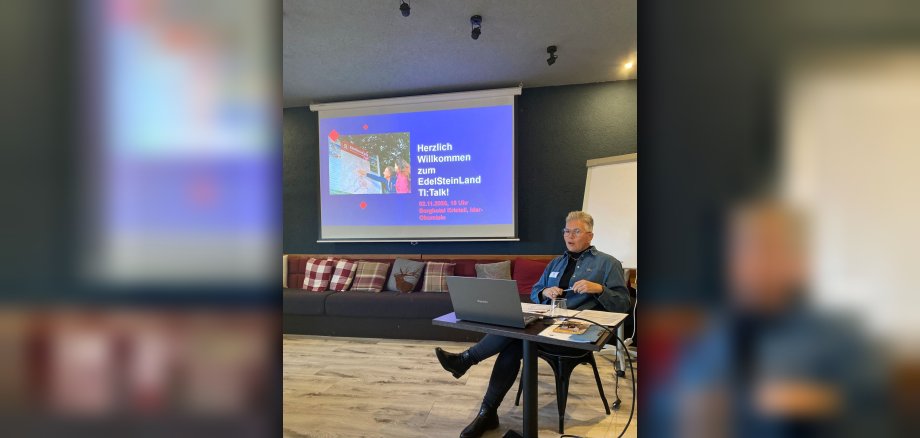
How can we work together to raise the profile of EdelSteinLand even further? This question was the focus of EdelSteinLand’s most recent “TI:Talk” at the Berghotel Kristall in Idar-Oberstein. Numerous tourism service providers used the networking event to exchange ideas, initiate new collaborations, and develop concrete ideas for more effective marketing of the EdelSteinLand region.

The Tourist Information (TI) provided information about its services and support offerings, as well as current developments in tourism. A special focus was placed on digital opportunities: How can artificial intelligence support marketing, and why is up-to-date, high-quality data crucial for ensuring that regional offerings can be found online?

Max Stauch, owner of the Berghotel Kristall, provided practical insights and also offered immediate ideas on how to create attractive winter packages by combining offers from various service providers. The goal, especially with the upcoming winter season, is to show guests at a glance which attractions, restaurants, and recreational activities are open even during the winter months. There was a consensus that the region’s success depends on collaboration. That’s why mutual support on social media will be stepped up in the future to combine reach and generate even more attention for the diversity of the EdelSteinLand region. You can still submit your winter offers via the EdelSteinLand website. The EdelSteinLand team welcomes your active participation.

The message of the event: “Together, not side by side”—because a closely connected gemstone region is also a more visible gemstone region.

Help with accessibility

  • General

    We make every effort to ensure that our websites are accessible. You can find details on this in our accessibility statement. You can send us suggestions for improvement using our feedback form.

  • Font size

    To adjust the font size, please use the following key combinations:

    Larger

    ⌘command
    +

    Smaller

    ⌘command
    –

    Larger

    Ctrl
    +

    Smaller

    Ctrl
    –
  • Keyboard navigation

    Use TAB and SHIFT + TAB to navigate through next/previous links, form elements and buttons.

    Use ENTER to open links and interact with elements.

  • Contrast mode

    Press the following key combination to reduce or increase the contrast:

    Enlarge

    ⌃control
    ⌥option
    ⌘command
    .

    Decrease

    ⌃control
    ⌥option
    ⌘command
    ,
    Note: The shortcuts must be activated in the system settings of the operating system.

    Press the left ALT key + left SHIFT key + PRINT to quickly switch the high contrast mode on or off.

  • Invert colors

    Press the following key combination to switch the color inversion on and off:

    ⌃control
    ⌥option
    ⌘command
    8
    Note: The shortcuts must be activated in the system settings of the operating system.

    First activate the screen magnifier and then switch the color inversion on and off with the following key combinations:

    1. screen magnifier

    +

    2. invert colors

    Ctrl
    Old
    I
  • Screen magnifier

    Press the following key combinations to use the screen magnifier:

    Switch on/off

    ⌥option
    ⌘command
    8

    Enlarge view

    ⌥option
    ⌘command
    =

    Reduce view

    ⌥option
    ⌘command
    –
    Note: The shortcuts must be activated in the system settings of the operating system.

    Switch on / Enlarge view

    +

    Reduce view

    –

Select language