

This page was automatically translated using artificial intelligence. As a result, the text may contain discrepancies or inaccuracies. Only the original version is binding. No legal claims arising from the content of the translated version will be accepted.

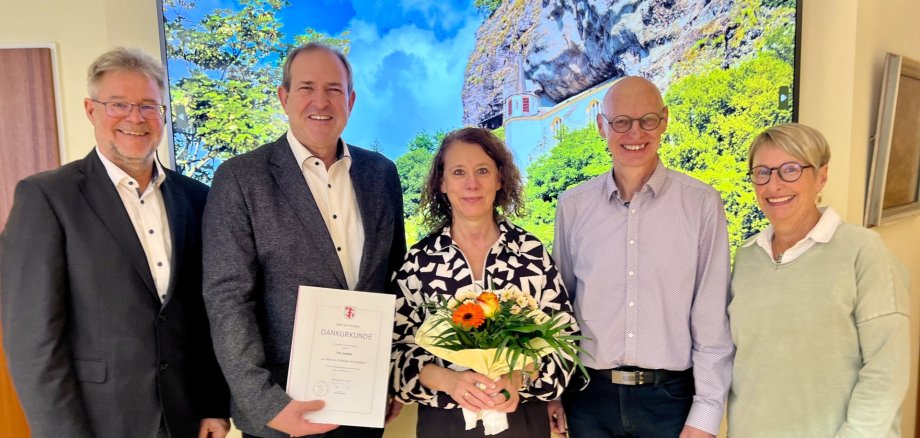
Eva Grosser Celebrated Her Work Anniversary

After several years working in the private sector, this trained wholesale and retail businesswoman was hired by the city administration on November 1, 2001, and has since been working in the Press and Public Relations Department of the City Hall. In addition to serving as the press spokesperson’s deputy, her responsibilities include organizing and conducting official city events, managing city partnerships, and handling protocol matters. In addition, from 2016 to 2024, she served as executive director of the Stadtmarketing Idar-Oberstein association, for which she also organized events and managed the gift certificate program. Management of the association was subsequently transferred to the Economic Development Division. Since then, Eva Grosser has focused more on volunteer initiatives and supports the social media manager in managing the city’s social media channels.

Mayor Frank Frühauf paid tribute to the honoree’s many years of service and thanked her for her work. He emphasized that press and public relations work has become significantly more important, even for government agencies. “When you assign a task to Eva Grosser, you know it will be taken care of and reliably completed,” emphasized Chief Administrative Officer Wolfgang Petry. He said he was glad to have her on the team at the Main Office. “I couldn’t imagine a better colleague,” emphasized Press Spokesperson Michael Brill. “We’ve been sharing an office for 25 years and have been through quite a lot together during that time.” He thanked his colleague for her reliable and trusting collaboration. Colleagues and the staff council were happy to join in the thanks and presented her with a few gifts.

Help with accessibility

  • General

    We make every effort to ensure that our websites are accessible. You can find details on this in our accessibility statement. You can send us suggestions for improvement using our feedback form.

  • Font size

    To adjust the font size, please use the following key combinations:

    Larger

    ⌘command
    +

    Smaller

    ⌘command
    –

    Larger

    Ctrl
    +

    Smaller

    Ctrl
    –
  • Keyboard navigation

    Use TAB and SHIFT + TAB to navigate through next/previous links, form elements and buttons.

    Use ENTER to open links and interact with elements.

  • Contrast mode

    Press the following key combination to reduce or increase the contrast:

    Enlarge

    ⌃control
    ⌥option
    ⌘command
    .

    Decrease

    ⌃control
    ⌥option
    ⌘command
    ,
    Note: The shortcuts must be activated in the system settings of the operating system.

    Press the left ALT key + left SHIFT key + PRINT to quickly switch the high contrast mode on or off.

  • Invert colors

    Press the following key combination to switch the color inversion on and off:

    ⌃control
    ⌥option
    ⌘command
    8
    Note: The shortcuts must be activated in the system settings of the operating system.

    First activate the screen magnifier and then switch the color inversion on and off with the following key combinations:

    1. screen magnifier

    +

    2. invert colors

    Ctrl
    Old
    I
  • Screen magnifier

    Press the following key combinations to use the screen magnifier:

    Switch on/off

    ⌥option
    ⌘command
    8

    Enlarge view

    ⌥option
    ⌘command
    =

    Reduce view

    ⌥option
    ⌘command
    –
    Note: The shortcuts must be activated in the system settings of the operating system.

    Switch on / Enlarge view

    +

    Reduce view

    –

Select language