

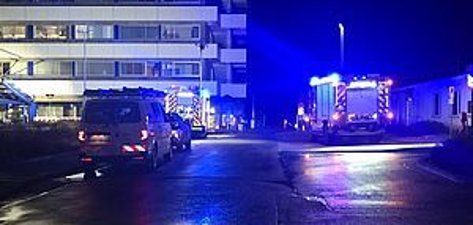
On Wednesday, November 18, 2026, at approximately 7:40 p.m., the automatic fire alarm system at Idar-Oberstein Hospital triggered an alarm. Shortly thereafter, a fire was confirmed in the area outside the hospital. When the fire department arrived, an open fire was visible in the hospital’s loading dock area.
A full alarm was immediately issued for the entire Idar-Oberstein Fire Department, prompting the mobilization of more than 150 firefighters. The fire was quickly brought under control by the fire department and subsequently extinguished. Due to the heavy smoke, various areas of the hospital were affected by smoke and odor, so special ventilation units from the Trier and Mainz professional fire departments and the Michelin Bad Kreuznach plant fire department were deployed. After 5 hours, the affected areas were smoke-free.
A total of three people sustained minor injuries in the fire, including one first responder. Medical care was provided immediately on the scene.
Due to the fire, the Idar-Oberstein Hospital is currently inaccessible for emergencies. Hospital management also asks patients who can walk not to go to the hospital’s emergency room. All elective procedures and outpatient appointments have been canceled for Thursday.
The emergency response operations have now been completed. The hospital would like to thank the emergency responders—including members of the volunteer fire department, the SEG, and full-time and volunteer support staff from across the state of Rhineland-Palatinate—who traveled to the scene with specialized equipment and expertise and played an active role in ensuring the success of the operation. A big thank you also goes to all the employees, some of whom—on their own initiative—stayed late or came in on their day off to provide on-site support for the well-being of our patients.
Medical care for patients on site is fully guaranteed. However, hospital operations can currently be maintained only to a limited extent due to the damage sustained by the building. In light of this, patients for whom there are no medical contraindications to discharge will be discharged on Thursday morning. Hospital officials anticipate restrictions primarily in food service, as the hospital kitchen is directly adjacent to the area affected by the fire and has been contaminated with fire residue. Electrical lines have also been damaged. The hospital is currently setting up a temporary meal service on-site for the remaining patients. The exact extent of the damage cannot be determined until the coming days.
The Criminal Investigation Division is investigating the cause of the fire.