

This page was automatically translated using artificial intelligence. As a result, the text may contain discrepancies or inaccuracies. Only the original version is binding. No legal claims arising from the content of the translated version will be accepted.

Four decades of travel experiences captured on canvas

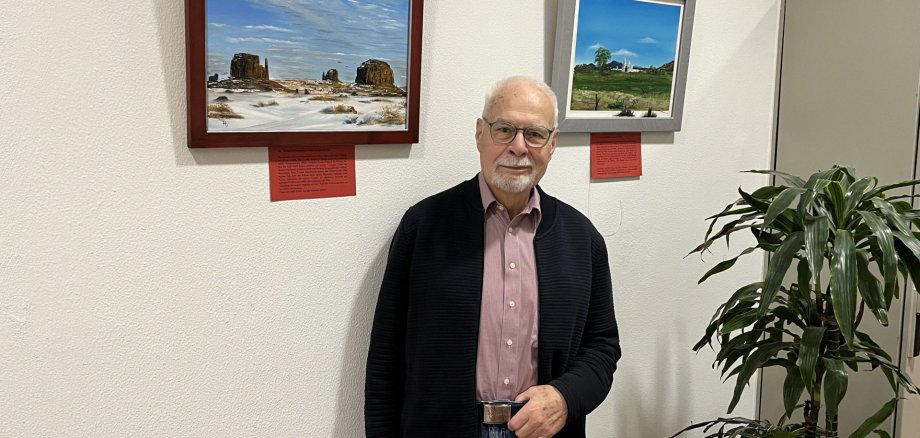
From the beaches of Hawaii to the colors of India: Hartmut Schulz has gathered countless impressions on his travels around the globe. What once began with pencil sketches has grown into an impressive collection of oil paintings and drawings, which can now be viewed in the lobby of the Idar-Oberstein City Hall.

The amateur artist from Birkenfeld focuses primarily on landscapes, nature scenes, and striking architectural structures. His works are based on his own memories, photographs, and slides, which he took during his numerous stays abroad and travels. His aim is not to reproduce reality as accurately as possible, but rather to connect memory and emotion. “The difference from a photograph is that one’s own emotions and impressions are incorporated into the painted image. And if I succeed in conveying this to the viewer, then that is also part of art,” says Hartmut Schulz, describing his artistic motivation.

Schulz discovered his passion for drawing when he was just ten years old. During his school years, however, he lacked the opportunities to develop his talent in a focused way. Even during his career as a soldier and later in the diplomatic service, he had little time for art. Nevertheless, he produced numerous pencil drawings during those years—and, above all, unforgettable impressions of distant lands that, decades later, became a source of inspiration for his paintings.

It was only after his retirement that Hartmut Schulz found the time to artistically process the experiences he had gathered over some forty years of travel and stays abroad. Since then, he has created numerous oil paintings, and his collection has continued to grow. As early as 2010, he presented a selection of his works at the Birkenfeld branch of the Kreissparkasse. Since then, his collection has more than doubled. A large portion of these works is on display in the foyer of the Idar-Oberstein City Hall through September 8, 2026.

  • The exhibition is open Monday through Wednesday from 7 a.m. to 4 p.m., Thursday from 7 a.m. to 6 p.m., and Friday from 7 a.m. to noon in the lobby of the Idar-Oberstein City Hall, located at Georg-Maus-Straße 1.

Help with accessibility

  • General

    We make every effort to ensure that our websites are accessible. You can find details on this in our accessibility statement. You can send us suggestions for improvement using our feedback form.

  • Font size

    To adjust the font size, please use the following key combinations:

    Larger

    ⌘command
    +

    Smaller

    ⌘command

    Larger

    Ctrl
    +

    Smaller

    Ctrl
  • Keyboard navigation

    Use TAB and SHIFT + TAB to navigate through next/previous links, form elements and buttons.

    Use ENTER to open links and interact with elements.

  • Contrast mode

    Press the following key combination to reduce or increase the contrast:

    Enlarge

    ⌃control
    ⌥option
    ⌘command
    .

    Decrease

    ⌃control
    ⌥option
    ⌘command
    ,
    Note: The shortcuts must be activated in the system settings of the operating system.

    Press the left ALT key + left SHIFT key + PRINT to quickly switch the high contrast mode on or off.

  • Invert colors

    Press the following key combination to switch the color inversion on and off:

    ⌃control
    ⌥option
    ⌘command
    8
    Note: The shortcuts must be activated in the system settings of the operating system.

    First activate the screen magnifier and then switch the color inversion on and off with the following key combinations:

    1. screen magnifier

    +

    2. invert colors

    Ctrl
    Old
    I
  • Screen magnifier

    Press the following key combinations to use the screen magnifier:

    Switch on/off

    ⌥option
    ⌘command
    8

    Enlarge view

    ⌥option
    ⌘command
    =

    Reduce view

    ⌥option
    ⌘command
    Note: The shortcuts must be activated in the system settings of the operating system.

    Switch on / Enlarge view

    +

    Reduce view

Select language