

This page was automatically translated using artificial intelligence. As a result, the text may contain discrepancies or inaccuracies. Only the original version is binding. No legal claims arising from the content of the translated version will be accepted.

The outdoor pool is closed—the indoor pool is open

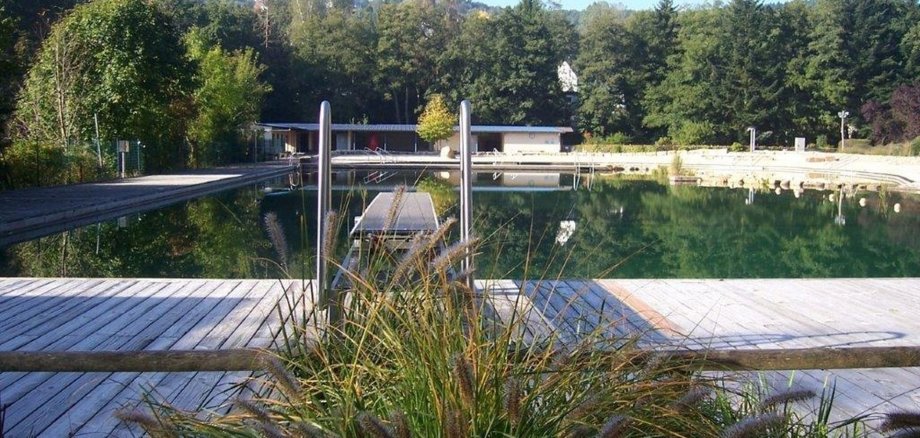
This year, the prolonged summer temperatures drew numerous swimmers to the natural swimming area to cool off and relax. The swimming area was particularly busy on hot days—without ever being overcrowded—so that visitors could enjoy the peace and relaxation they needed. Many families, children, and sun-seekers took the opportunity to escape the heat and spend a relaxing day together by the water.

After some initial teething problems with the last-minute changes required to the technical operations, the pool’s operations subsequently ran smoothly. Naturally, special attention was paid to water quality. Water quality parameters were initially checked weekly following the changeover and subsequently every 14 days. Despite the high temperatures, the results never gave cause for complaint; water quality remained impeccable throughout the swimming season.

  • Even after the outdoor swimming season ends, you don’t have to give up swimming. The Idar-Oberstein indoor pool is open year-round, Monday through Friday from 10 a.m. to 9 p.m. and on weekends and holidays from 10 a.m. to 5 p.m. For more information, visit baeder.idar-oberstein.de.

Help with accessibility

  • General

    We make every effort to ensure that our websites are accessible. You can find details on this in our accessibility statement. You can send us suggestions for improvement using our feedback form.

  • Font size

    To adjust the font size, please use the following key combinations:

    Larger

    ⌘command
    +

    Smaller

    ⌘command

    Larger

    Ctrl
    +

    Smaller

    Ctrl
  • Keyboard navigation

    Use TAB and SHIFT + TAB to navigate through next/previous links, form elements and buttons.

    Use ENTER to open links and interact with elements.

  • Contrast mode

    Press the following key combination to reduce or increase the contrast:

    Enlarge

    ⌃control
    ⌥option
    ⌘command
    .

    Decrease

    ⌃control
    ⌥option
    ⌘command
    ,
    Note: The shortcuts must be activated in the system settings of the operating system.

    Press the left ALT key + left SHIFT key + PRINT to quickly switch the high contrast mode on or off.

  • Invert colors

    Press the following key combination to switch the color inversion on and off:

    ⌃control
    ⌥option
    ⌘command
    8
    Note: The shortcuts must be activated in the system settings of the operating system.

    First activate the screen magnifier and then switch the color inversion on and off with the following key combinations:

    1. screen magnifier

    +

    2. invert colors

    Ctrl
    Old
    I
  • Screen magnifier

    Press the following key combinations to use the screen magnifier:

    Switch on/off

    ⌥option
    ⌘command
    8

    Enlarge view

    ⌥option
    ⌘command
    =

    Reduce view

    ⌥option
    ⌘command
    Note: The shortcuts must be activated in the system settings of the operating system.

    Switch on / Enlarge view

    +

    Reduce view

Select language