

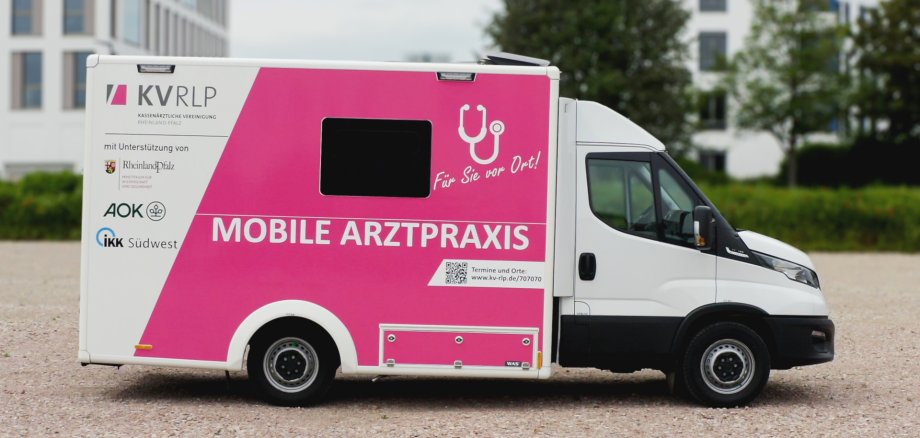
Starting Thursday, August 27, 2026, the Rhineland-Palatinate Association of Statutory Health Insurance Physicians’ (KV RLP) mobile medical clinic will be coming to Idar-Oberstein, usually on Thursdays. For the time being, through November 26, 2026, patients will be able to receive medical care here—both in person and via video consultation.
Since a family practice was closed on short notice, many people in Idar-Oberstein and the surrounding area are currently looking for a new primary care provider. The Mobile Medical Practice is taking on this task on a temporary basis. If medical practices in the region are able to accept all patients currently without care, or if a new general practice opens locally, the Mobile Medical Practice’s service may end before November 26, 2026.
“I am very pleased that, in collaboration with the chairwoman of the district medical association and the Association of Panel Physicians, we were able to implement a viable interim solution for local patients so quickly,” emphasized Mayor Frank Frühauf. He expressed particular gratitude to Economic Development Officer Sarah Wagner, who had taken charge of the matter on behalf of the Idar-Oberstein city administration. “We will continue to work vigorously to ensure that the people in our city can count on high-quality medical care close to home.”
Visit to the Mobile Medical Clinic
Schedule an Appointment: You must always schedule an appointment to visit the Mobile Medical Clinic. You can easily do this through the online appointment scheduling system or by phone—but no sooner than one week in advance. If you are unable to keep an appointment, please cancel it in a timely manner.
Bring your health insurance card and previous medical records: You must also present your health insurance card when visiting the Mobile Medical Clinic. It will be scanned before your appointment so that the medical treatment can be billed to your health insurance provider. Patients covered by statutory health insurance will not incur any additional costs for medical treatment. Depending on the reason for the treatment, it may also be helpful for patients to bring any medical reports, lab results, or similar documents they have with them when visiting the Mobile Medical Clinic.
On-site treatment: To ensure that treatment proceeds smoothly, patients should arrive on time for their appointments. A doctor will then attend to them, assisted by medical staff. To ensure that everything runs smoothly on site, the KV RLP works closely with the local government. For the operation of the mobile medical clinic, the city of Idar-Oberstein provides a waiting room and restroom facilities for patients and ensures a power supply.
Video Medical Consultations: The Mobile Doctor’s Office is also available digitally. Patients can find out the exact times for video consultations by calling 06131 326-1202 Monday through Thursday from 9 a.m. to 4 p.m. and Friday from 9 a.m. to 1 p.m. You can also use this number to schedule an appointment. To participate in the video consultation, you’ll need an internet connection and an internet-enabled device. You’ll also need to have your health insurance card ready during the video appointment.
Information About the Mobile Medical Clinic in Idar-Oberstein
Location: City Hall parking lot, Georg-Maus-Straße 2, 55743 Idar-Oberstein
Day: Every Thursday (subject to change)
Planned dates: August 27 through November 26, 2026
Organization: By appointment only; no appointment is necessary on August 27
Appointment scheduling: Now available online at www.kv-rlp.de/707070 or by phone at 06131 326-1202