

This page was automatically translated using artificial intelligence. As a result, the text may contain discrepancies or inaccuracies. Only the original version is binding. No legal claims arising from the content of the translated version will be accepted.

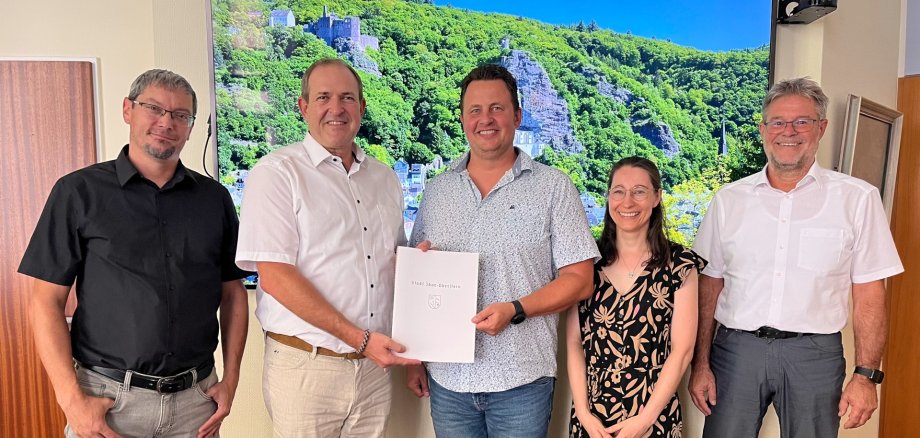
Torsten Rösel Celebrated His Work Anniversary

Torsten Rösel began an apprenticeship as an industrial clerk at Stadtwerke Idar-Oberstein on August 1, 2001. After passing his final exam, he was hired on a permanent basis and worked in the areas of utility billing and accounting. On July 1, 2008, Rösel transferred to the City Treasury; at that time, the city administration was in the process of transitioning from the Kameralistic accounting system to the municipal double-entry accounting system. He played a key role in preparing the opening balance sheet under the double-entry system and has since been primarily responsible for preparing the annual financial statements. Mayor Frühauf praised Torsten Rösel’s achievements and emphasized that the city is already further along in its annual financial reporting than many other municipalities. “Nevertheless, we naturally want to get into the rhythm prescribed by law as soon as possible, but we will certainly succeed in doing so soon—thanks in part to the dedication of our honoree,” explained the mayor, thanking him for his work. In addition to a certificate, he presented him with a few gifts and wished him all the best for the future.

City Treasurer Carsten Stützel emphasized that preparing the annual financial statements always requires extensive preparatory work: “Although this usually happens behind the scenes, it is nonetheless extremely important.” He is proud of the great team at the City Treasury, which includes the honoree. “He has been performing well for 25 years, and I would like to express my heartfelt thanks for that.” Together with his colleagues and the employee representative, he echoed the mayor’s best wishes.

“The past 25 years have flown by, and I still enjoy my work,” Torsten Rösel emphasized. It certainly helps that accounting is something of a labor of love for him.

Help with accessibility

  • General

    We make every effort to ensure that our websites are accessible. You can find details on this in our accessibility statement. You can send us suggestions for improvement using our feedback form.

  • Font size

    To adjust the font size, please use the following key combinations:

    Larger

    ⌘command
    +

    Smaller

    ⌘command

    Larger

    Ctrl
    +

    Smaller

    Ctrl
  • Keyboard navigation

    Use TAB and SHIFT + TAB to navigate through next/previous links, form elements and buttons.

    Use ENTER to open links and interact with elements.

  • Contrast mode

    Press the following key combination to reduce or increase the contrast:

    Enlarge

    ⌃control
    ⌥option
    ⌘command
    .

    Decrease

    ⌃control
    ⌥option
    ⌘command
    ,
    Note: The shortcuts must be activated in the system settings of the operating system.

    Press the left ALT key + left SHIFT key + PRINT to quickly switch the high contrast mode on or off.

  • Invert colors

    Press the following key combination to switch the color inversion on and off:

    ⌃control
    ⌥option
    ⌘command
    8
    Note: The shortcuts must be activated in the system settings of the operating system.

    First activate the screen magnifier and then switch the color inversion on and off with the following key combinations:

    1. screen magnifier

    +

    2. invert colors

    Ctrl
    Old
    I
  • Screen magnifier

    Press the following key combinations to use the screen magnifier:

    Switch on/off

    ⌥option
    ⌘command
    8

    Enlarge view

    ⌥option
    ⌘command
    =

    Reduce view

    ⌥option
    ⌘command
    Note: The shortcuts must be activated in the system settings of the operating system.

    Switch on / Enlarge view

    +

    Reduce view

Select language