

This page has been automatically translated. As a result, there may be discrepancies or inaccuracies in the text. Only the original version is binding. Legal claims arising from the content of the translated version are excluded.

More than just swimming

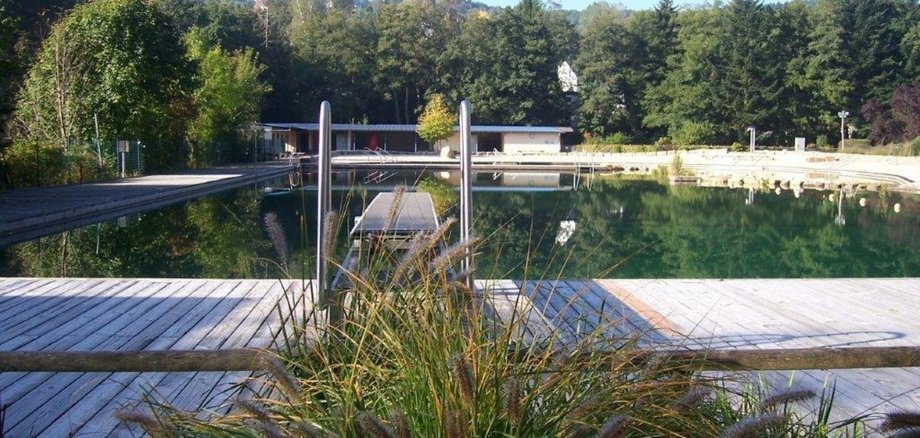
In keeping with the summer temperatures, the idyllically situated Staden natural pool in Idar-Oberstein will open its doors again on Whit Saturday, May 23, 2026. From 10:30 a.m., bathers are invited to enjoy the unique combination of nature experience and leisure fun. The Staden natural pool not only impresses with its picturesque location and natural atmosphere, but also with its environmentally friendly technology: the water is purified using a plant filter, completely without the use of chlorine. For visitors, this means a particularly pleasant bathing experience in clean, naturally pure water. In addition to swimming, the Staden natural pool offers numerous leisure activities. The sandy beach invites you to relax and sunbathe, while a beach volleyball court and table tennis table are available for sporting activities. "The natural pool is more than just swimming," say the friends of the natural pool.

The opening hours in the 2026 season are Mondays to Fridays: 12:30 - 19:00, Saturdays, Sundays and public holidays: 10:30 - 19:00.

Opening hours may vary in the event of bad weather. Visitors can obtain up-to-date information by calling the hotline on 06781/263640 or online at https://baeder.idar-oberstein.de.

The town of Idar-Oberstein is looking forward to welcoming numerous guests who want to enjoy the summer in the natural pool surrounded by beautiful nature. The indoor pool will be closed over Whitsun, from May 23 to 25.

Help with accessibility

  • General

    We make every effort to ensure that our websites are accessible. You can find details on this in our accessibility statement. You can send us suggestions for improvement using our feedback form.

  • Font size

    To adjust the font size, please use the following key combinations:

    Larger

    ⌘command
    +

    Smaller

    ⌘command

    Larger

    Ctrl
    +

    Smaller

    Ctrl
  • Keyboard navigation

    Use TAB and SHIFT + TAB to navigate through next/previous links, form elements and buttons.

    Use ENTER to open links and interact with elements.

  • Contrast mode

    Press the following key combination to reduce or increase the contrast:

    Enlarge

    ⌃control
    ⌥option
    ⌘command
    .

    Decrease

    ⌃control
    ⌥option
    ⌘command
    ,
    Note: The shortcuts must be activated in the system settings of the operating system.

    Press the left ALT key + left SHIFT key + PRINT to quickly switch the high contrast mode on or off.

  • Invert colors

    Press the following key combination to switch the color inversion on and off:

    ⌃control
    ⌥option
    ⌘command
    8
    Note: The shortcuts must be activated in the system settings of the operating system.

    First activate the screen magnifier and then switch the color inversion on and off with the following key combinations:

    1. screen magnifier

    +

    2. invert colors

    Ctrl
    Old
    I
  • Screen magnifier

    Press the following key combinations to use the screen magnifier:

    Switch on/off

    ⌥option
    ⌘command
    8

    Enlarge view

    ⌥option
    ⌘command
    =

    Reduce view

    ⌥option
    ⌘command
    Note: The shortcuts must be activated in the system settings of the operating system.

    Switch on / Enlarge view

    +

    Reduce view

Select language