

This page has been automatically translated. As a result, there may be discrepancies or inaccuracies in the text. Only the original version is binding. Legal claims arising from the content of the translated version are excluded.

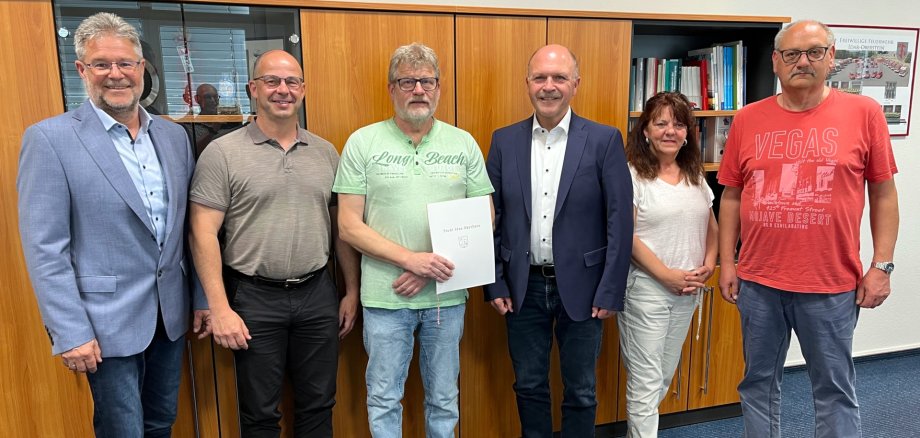
Rüdiger Mais was given a farewell

Rüdiger Mais joined the city administration on April 1, 1987, and worked in the metalworking shop at the public works yard. There, his responsibilities included repairs, traffic signage, parking meters and ticket machines, and fountain systems. In addition, in 2004 he was assigned the duties of dam keeper at the Kammerwoog local weir, and in 2010 he was appointed to oversee playground maintenance and upkeep. In the meantime, Mais worked in building management for about two and a half years, but then returned to the Public Works Department.

“With Rüdiger Mais, we are losing a highly valued employee, a pillar of the public works department,” said Mayor Friedrich Marx, thanking the soon-to-be retiree for his many years of service. “Whenever you assigned him a task, you could be sure it would be handled reliably, even if it was urgent or tricky,” Marx emphasized. The other attendees also praised the reliability and great competence of Rüdiger Mais, who had also been actively involved in representing his colleagues on the staff council. They honored Mais’s many years of service with a certificate of appreciation and gifts, and wished him all the best for this new chapter in his life.

“After a total of nearly 48 years on the job, I’m looking forward to retirement,” said Rüdiger Mais. “I had a great time at the public works department, and even when I did get annoyed, it never lasted long.”

Help with accessibility

  • General

    We make every effort to ensure that our websites are accessible. You can find details on this in our accessibility statement. You can send us suggestions for improvement using our feedback form.

  • Font size

    To adjust the font size, please use the following key combinations:

    Larger

    ⌘command
    +

    Smaller

    ⌘command

    Larger

    Ctrl
    +

    Smaller

    Ctrl
  • Keyboard navigation

    Use TAB and SHIFT + TAB to navigate through next/previous links, form elements and buttons.

    Use ENTER to open links and interact with elements.

  • Contrast mode

    Press the following key combination to reduce or increase the contrast:

    Enlarge

    ⌃control
    ⌥option
    ⌘command
    .

    Decrease

    ⌃control
    ⌥option
    ⌘command
    ,
    Note: The shortcuts must be activated in the system settings of the operating system.

    Press the left ALT key + left SHIFT key + PRINT to quickly switch the high contrast mode on or off.

  • Invert colors

    Press the following key combination to switch the color inversion on and off:

    ⌃control
    ⌥option
    ⌘command
    8
    Note: The shortcuts must be activated in the system settings of the operating system.

    First activate the screen magnifier and then switch the color inversion on and off with the following key combinations:

    1. screen magnifier

    +

    2. invert colors

    Ctrl
    Old
    I
  • Screen magnifier

    Press the following key combinations to use the screen magnifier:

    Switch on/off

    ⌥option
    ⌘command
    8

    Enlarge view

    ⌥option
    ⌘command
    =

    Reduce view

    ⌥option
    ⌘command
    Note: The shortcuts must be activated in the system settings of the operating system.

    Switch on / Enlarge view

    +

    Reduce view

Select language