

This page has been automatically translated. As a result, there may be discrepancies or inaccuracies in the text. Only the original version is binding. Legal claims arising from the content of the translated version are excluded.

Martin Brosch is retired

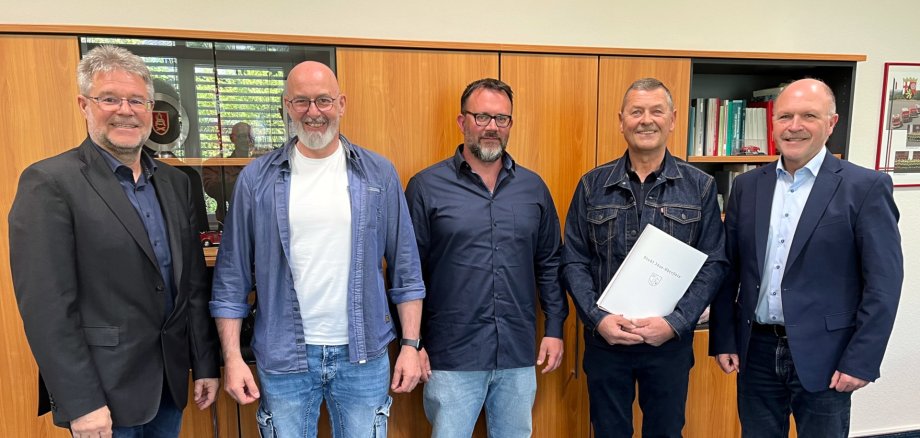
As a trained painter and varnisher, Martin Brosch initially worked for several years for private employers before being hired on September 1, 1998, as a custodian for the school and daycare buildings in the Weierbach district by the Idar-Oberstein city administration. In that role, he oversaw, among other things, the extensive construction work to convert the former middle school building into an elementary school and the former elementary school building into a new daycare center. “A lot has happened during my time as a custodian, but I’ve always enjoyed my work,” emphasized the soon-to-be retiree. He said he always got along well with the children, the staff, and his colleagues, and that the children had already given him a wonderful send-off.

Mayor Friedrich Marx praised Martin Brosch’s many years of service: “Just like the cleaning staff, the custodians play a crucial role in ensuring that schools and daycare centers run smoothly.” Brosch had always responded reliably to problems, even at short notice, and had also made the necessary decisions. Marx thanked him for his work and presented him with a certificate of appreciation as well as several gifts. With best wishes for this new chapter in his life—which his colleagues and the staff council were happy to echo—Mayor Marx then bid farewell to the longtime custodian as he entered his well-deserved retirement.

Help with accessibility

  • General

    We make every effort to ensure that our websites are accessible. You can find details on this in our accessibility statement. You can send us suggestions for improvement using our feedback form.

  • Font size

    To adjust the font size, please use the following key combinations:

    Larger

    ⌘command
    +

    Smaller

    ⌘command

    Larger

    Ctrl
    +

    Smaller

    Ctrl
  • Keyboard navigation

    Use TAB and SHIFT + TAB to navigate through next/previous links, form elements and buttons.

    Use ENTER to open links and interact with elements.

  • Contrast mode

    Press the following key combination to reduce or increase the contrast:

    Enlarge

    ⌃control
    ⌥option
    ⌘command
    .

    Decrease

    ⌃control
    ⌥option
    ⌘command
    ,
    Note: The shortcuts must be activated in the system settings of the operating system.

    Press the left ALT key + left SHIFT key + PRINT to quickly switch the high contrast mode on or off.

  • Invert colors

    Press the following key combination to switch the color inversion on and off:

    ⌃control
    ⌥option
    ⌘command
    8
    Note: The shortcuts must be activated in the system settings of the operating system.

    First activate the screen magnifier and then switch the color inversion on and off with the following key combinations:

    1. screen magnifier

    +

    2. invert colors

    Ctrl
    Old
    I
  • Screen magnifier

    Press the following key combinations to use the screen magnifier:

    Switch on/off

    ⌥option
    ⌘command
    8

    Enlarge view

    ⌥option
    ⌘command
    =

    Reduce view

    ⌥option
    ⌘command
    Note: The shortcuts must be activated in the system settings of the operating system.

    Switch on / Enlarge view

    +

    Reduce view

Select language