

This page has been automatically translated. As a result, there may be discrepancies or inaccuracies in the text. Only the original version is binding. Legal claims arising from the content of the translated version are excluded.

Mayor Frühauf Visits Elektro Adam

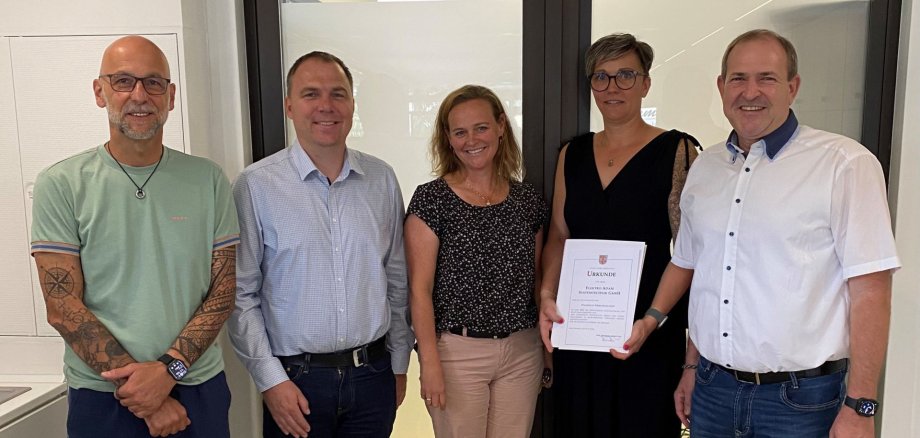
Mayor Frank Frühauf and Sarah Wagner from the city’s economic development office recently visited Elektro Adam Systemtechnik GmbH in the Am Kreuz industrial park in Idar-Oberstein. During the visit, Mayor Frühauf presented a certificate and thanked the management and the entire team for their many years of service and their commitment to Idar-Oberstein, which will celebrate its 50th anniversary in 2025.

Elektro Adam currently employs more than 50 people and offers solutions in the fields of electrical engineering, building and security technology, communications, lighting, and network technology. The company also places great importance on training young professionals. “Our established businesses are a key pillar of our city’s economic development. That is why it is important for us to stay in close contact, identify trends early on, and foster personal dialogue,” emphasized Mayor Frank Frühauf. The visit underscored the importance of reliable cooperation between the city administration, the economic development agency, and local businesses. The city of Idar-Oberstein extends its warmest personal congratulations to Elektro Adam on its anniversary and wishes the company continued success.

Help with accessibility

  • General

    We make every effort to ensure that our websites are accessible. You can find details on this in our accessibility statement. You can send us suggestions for improvement using our feedback form.

  • Font size

    To adjust the font size, please use the following key combinations:

    Larger

    ⌘command
    +

    Smaller

    ⌘command

    Larger

    Ctrl
    +

    Smaller

    Ctrl
  • Keyboard navigation

    Use TAB and SHIFT + TAB to navigate through next/previous links, form elements and buttons.

    Use ENTER to open links and interact with elements.

  • Contrast mode

    Press the following key combination to reduce or increase the contrast:

    Enlarge

    ⌃control
    ⌥option
    ⌘command
    .

    Decrease

    ⌃control
    ⌥option
    ⌘command
    ,
    Note: The shortcuts must be activated in the system settings of the operating system.

    Press the left ALT key + left SHIFT key + PRINT to quickly switch the high contrast mode on or off.

  • Invert colors

    Press the following key combination to switch the color inversion on and off:

    ⌃control
    ⌥option
    ⌘command
    8
    Note: The shortcuts must be activated in the system settings of the operating system.

    First activate the screen magnifier and then switch the color inversion on and off with the following key combinations:

    1. screen magnifier

    +

    2. invert colors

    Ctrl
    Old
    I
  • Screen magnifier

    Press the following key combinations to use the screen magnifier:

    Switch on/off

    ⌥option
    ⌘command
    8

    Enlarge view

    ⌥option
    ⌘command
    =

    Reduce view

    ⌥option
    ⌘command
    Note: The shortcuts must be activated in the system settings of the operating system.

    Switch on / Enlarge view

    +

    Reduce view

Select language