

This page has been automatically translated. As a result, there may be discrepancies or inaccuracies in the text. Only the original version is binding. Legal claims arising from the content of the translated version are excluded.

Karl-Heinz Nau Celebrated His Work Anniversary

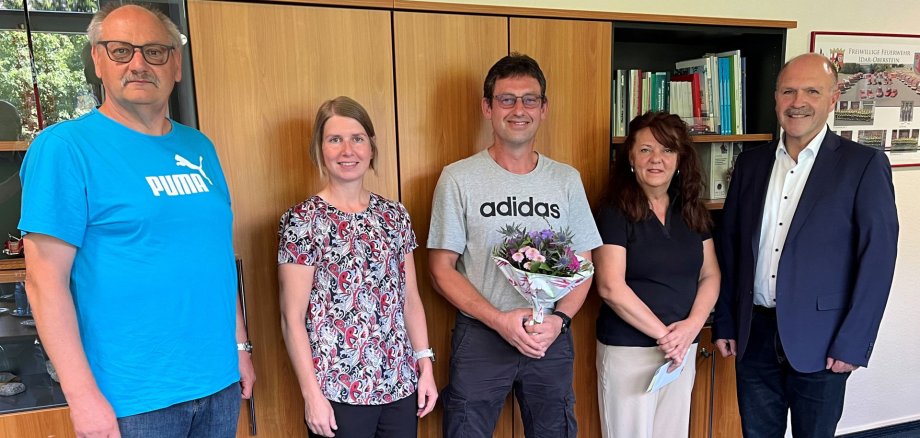
During a small ceremony, Mayor Friedrich Marx, his colleagues, and the employee representative committee congratulated him on this special day.

Karl-Heinz Nau was initially hired on July 1, 2001, on a temporary basis as an assistant at the public works yard. Due to his strong performance, he was offered a permanent position just six months later. Nau is versatile and has been working for some time now on the road construction crew and as a substitute for the asphalt crew. In 2018, he also took over the locking-up and security duties at the public works yard and, in this role, is often still on duty after work hours.

Mayor Marx thanked the honoree for his work over the past quarter-century. “A business can only function when all the cogs in the machine work together. Everyone is needed in their own role, and Karl-Heinz Nau carries out his duties reliably and conscientiously.” His colleagues and the employee representative committee attested that he puts his heart and soul into his work and has repeatedly taken on additional responsibilities.

“I enjoy my work and have great coworkers,” the honoree emphasized. Those in attendance thanked him for his contributions with a certificate and a few gifts and wished him all the best for the future.

Help with accessibility

  • General

    We make every effort to ensure that our websites are accessible. You can find details on this in our accessibility statement. You can send us suggestions for improvement using our feedback form.

  • Font size

    To adjust the font size, please use the following key combinations:

    Larger

    ⌘command
    +

    Smaller

    ⌘command

    Larger

    Ctrl
    +

    Smaller

    Ctrl
  • Keyboard navigation

    Use TAB and SHIFT + TAB to navigate through next/previous links, form elements and buttons.

    Use ENTER to open links and interact with elements.

  • Contrast mode

    Press the following key combination to reduce or increase the contrast:

    Enlarge

    ⌃control
    ⌥option
    ⌘command
    .

    Decrease

    ⌃control
    ⌥option
    ⌘command
    ,
    Note: The shortcuts must be activated in the system settings of the operating system.

    Press the left ALT key + left SHIFT key + PRINT to quickly switch the high contrast mode on or off.

  • Invert colors

    Press the following key combination to switch the color inversion on and off:

    ⌃control
    ⌥option
    ⌘command
    8
    Note: The shortcuts must be activated in the system settings of the operating system.

    First activate the screen magnifier and then switch the color inversion on and off with the following key combinations:

    1. screen magnifier

    +

    2. invert colors

    Ctrl
    Old
    I
  • Screen magnifier

    Press the following key combinations to use the screen magnifier:

    Switch on/off

    ⌥option
    ⌘command
    8

    Enlarge view

    ⌥option
    ⌘command
    =

    Reduce view

    ⌥option
    ⌘command
    Note: The shortcuts must be activated in the system settings of the operating system.

    Switch on / Enlarge view

    +

    Reduce view

Select language