

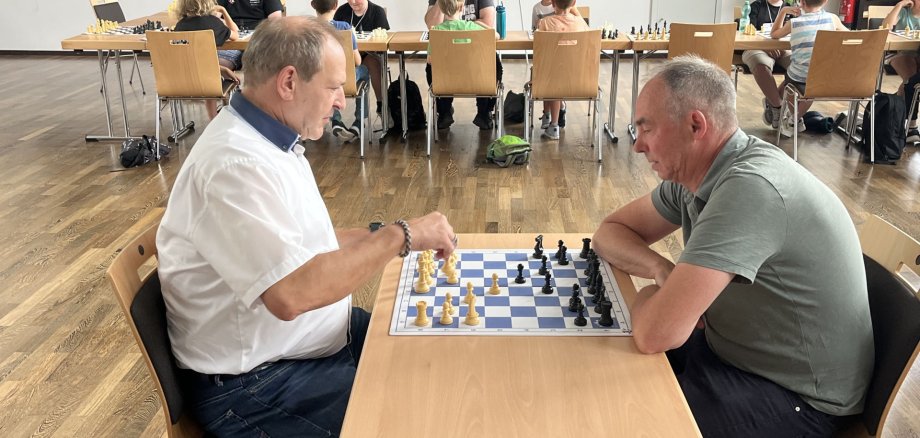
The program was organized and supervised by the Birkenfeld Chess Club. The children were divided into three groups based on their skill levels. The beginners’ group first learned the movements of the pieces and later explored the concepts of check and checkmate. In addition, a more advanced group was formed, which focused primarily on tactical concepts such as pinning and checkmating with two rooks or a queen. The third group worked on specific checkmate patterns. A special highlight was the large chessboard set up on site, where the children played several games over the three days and had a lot of fun. On the third day, all the children played in a tournament together. They learned about the rules of a tournament and had a lot of fun playing their games. At the awards ceremony, the winner’s trophy and medals were presented.
On Tuesday, July 7, a group of children set out on an exciting quest to find the Tree Whisperer’s Chronicle as part of the summer program. Together with Michael Brzoska, they explored the forest around Bundenbach, where they followed the Tree Whisperer’s trail to help him protect and care for the forest. The children solved exciting puzzles, cracked tricky codes, and, with each other’s help, navigated challenging obstacle courses through the forest’s uneven terrain. After mastering all the challenges, they put their newly acquired knowledge to the test in the “Forest Whisperer” exam. To do so, the children matched various tracks to the corresponding forest animals and identified native tree species based on their leaves. All the children passed the exam and, at the end of the day, were awarded a medal as newly trained tree whisperers and guardians of the forest.
On another outing with Michael Brzoska during the second week of vacation, the focus was on fire and archery. The day began with a short, adventurous hike that included a stop at Schmidtburg Castle. The children climbed the castle walls and, as a reward, got to marvel at a grass snake in the wild. Shortly afterward, they reached their destination, where they had the chance to build a fire themselves and try their hand at archery. The fire was used to prepare bannock (a simple outdoor bread) for the adventurers. Once everyone had regained their strength, they set off on the journey home with many wonderful memories.
A heartfelt thank you to all our partners who make this diverse summer program possible, and we wish all children and teens a wonderful rest of their summer vacation and many more unforgettable experiences at our upcoming events.