

This page was automatically translated using artificial intelligence. As a result, the text may contain discrepancies or inaccuracies. Only the original version is binding. No legal claims arising from the content of the translated version will be accepted.

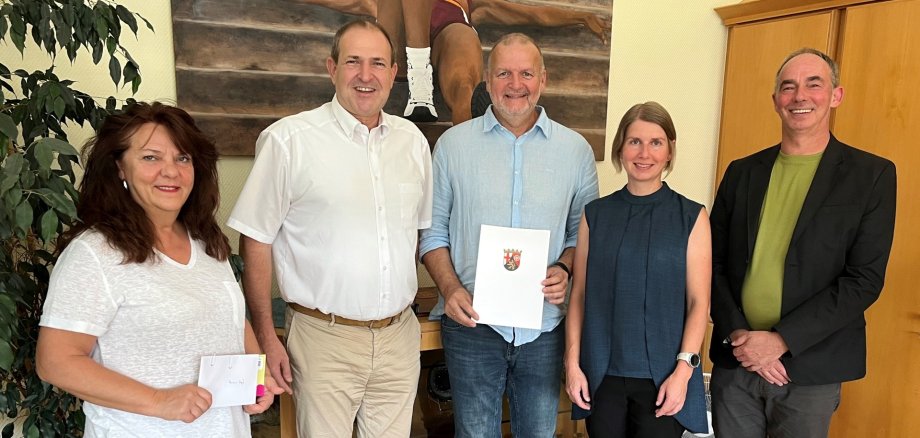
Armin Vogt Celebrated His Work Anniversary

After four years of service as a temporary soldier and a position with the base administration—both of which are taken into account when calculating his years of service—Armin Vogt was hired on January 1, 2002, as the mayor’s driver for the Idar-Oberstein city administration. While working, he successfully completed the training program for employees in municipal administration and treasury services and was subsequently transferred to the Public Order Office on March 1, 2006, where he was assigned to law enforcement duties. In September 2007, he was transferred to the Youth Welfare Office, where he has since served, among other roles, as the sports coordinator. Effective January 1, 2012, he was assigned responsibilities under the Advance Child Support Act; later, responsibilities related to financial youth welfare were added. Since April 1, 2026, Armin Vogt has been responsible for sports and senior citizen services at the Youth Welfare Office.

Mayor Frank Frühauf praised Armin Vogt’s dedication across a wide range of administrative areas. “He has consistently performed well, continued to develop his skills, and thus built a great career with the city.” The mayor is pleased that the honoree will now take over the Senior Citizens’ Office and will focus more on the needs of older residents in the future.

“Armin Vogt is the right man for the job,” emphasized Michael Schweizer, director of the Youth Welfare Office. He is always dedicated and passionate about his work, and he carries it out conscientiously and meticulously. “I’m sure he’ll excel in his new role as well.”

“I’ve always felt well taken care of by the city administration and have had great supervisors who supported me,” Armin Vogt emphasized. He said he had repaid the trust placed in him through his performance.

With a certificate from the Minister President and a few gifts, Mayor Frühauf thanked the honoree for his many years of service. His colleagues and the employee representative committee were happy to join in expressing their thanks and best wishes.

Help with accessibility

  • General

    We make every effort to ensure that our websites are accessible. You can find details on this in our accessibility statement. You can send us suggestions for improvement using our feedback form.

  • Font size

    To adjust the font size, please use the following key combinations:

    Larger

    ⌘command
    +

    Smaller

    ⌘command

    Larger

    Ctrl
    +

    Smaller

    Ctrl
  • Keyboard navigation

    Use TAB and SHIFT + TAB to navigate through next/previous links, form elements and buttons.

    Use ENTER to open links and interact with elements.

  • Contrast mode

    Press the following key combination to reduce or increase the contrast:

    Enlarge

    ⌃control
    ⌥option
    ⌘command
    .

    Decrease

    ⌃control
    ⌥option
    ⌘command
    ,
    Note: The shortcuts must be activated in the system settings of the operating system.

    Press the left ALT key + left SHIFT key + PRINT to quickly switch the high contrast mode on or off.

  • Invert colors

    Press the following key combination to switch the color inversion on and off:

    ⌃control
    ⌥option
    ⌘command
    8
    Note: The shortcuts must be activated in the system settings of the operating system.

    First activate the screen magnifier and then switch the color inversion on and off with the following key combinations:

    1. screen magnifier

    +

    2. invert colors

    Ctrl
    Old
    I
  • Screen magnifier

    Press the following key combinations to use the screen magnifier:

    Switch on/off

    ⌥option
    ⌘command
    8

    Enlarge view

    ⌥option
    ⌘command
    =

    Reduce view

    ⌥option
    ⌘command
    Note: The shortcuts must be activated in the system settings of the operating system.

    Switch on / Enlarge view

    +

    Reduce view

Select language