

This page has been automatically translated. As a result, there may be discrepancies or inaccuracies in the text. Only the original version is binding. Legal claims arising from the content of the translated version are excluded.

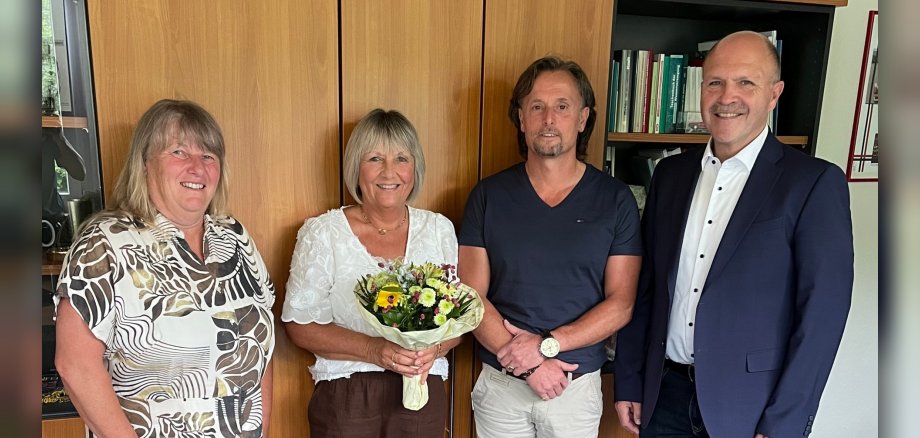
Antonia Schuster is retired

On October 1, 1978, Antonia Schuster began an apprenticeship as an office clerk at Stadtwerke Idar-Oberstein and, after passing her exam, was hired as a clerical employee. She initially worked in the executive office, filled in at the cashier’s desk, and worked in accounting. For many years, Antonia Schuster managed the cashier’s office; her responsibilities included, among other things, handling insurance claims, tracking employee time for the municipal utility, managing keys, and performing other general administrative tasks. In this cross-functional role, she interacted with all departments. “I had a wonderful time working here at Stadtwerke and always enjoyed coming to work,” said the soon-to-be retiree, reflecting on her many years of service.

“I can’t even imagine what it will be like without Antonia Schuster,” Mayor Marx admitted. “She was always here and, through her many years of outstanding service, has left a lasting mark on the municipal utilities.” Marx praised Schuster’s reliable and dedicated work, “which she carried out independently and, when necessary, with the required determination.” He added that she also fostered a positive work environment with her unique personality.

Colleagues and the employee representative committee also praised the excellent collaboration with Antonia Schuster, “whom we will remember fondly.” Those in attendance once again thanked Antonia Schuster with a certificate and gifts and wished her all the best for this new chapter in her life.

Help with accessibility

  • General

    We make every effort to ensure that our websites are accessible. You can find details on this in our accessibility statement. You can send us suggestions for improvement using our feedback form.

  • Font size

    To adjust the font size, please use the following key combinations:

    Larger

    ⌘command
    +

    Smaller

    ⌘command

    Larger

    Ctrl
    +

    Smaller

    Ctrl
  • Keyboard navigation

    Use TAB and SHIFT + TAB to navigate through next/previous links, form elements and buttons.

    Use ENTER to open links and interact with elements.

  • Contrast mode

    Press the following key combination to reduce or increase the contrast:

    Enlarge

    ⌃control
    ⌥option
    ⌘command
    .

    Decrease

    ⌃control
    ⌥option
    ⌘command
    ,
    Note: The shortcuts must be activated in the system settings of the operating system.

    Press the left ALT key + left SHIFT key + PRINT to quickly switch the high contrast mode on or off.

  • Invert colors

    Press the following key combination to switch the color inversion on and off:

    ⌃control
    ⌥option
    ⌘command
    8
    Note: The shortcuts must be activated in the system settings of the operating system.

    First activate the screen magnifier and then switch the color inversion on and off with the following key combinations:

    1. screen magnifier

    +

    2. invert colors

    Ctrl
    Old
    I
  • Screen magnifier

    Press the following key combinations to use the screen magnifier:

    Switch on/off

    ⌥option
    ⌘command
    8

    Enlarge view

    ⌥option
    ⌘command
    =

    Reduce view

    ⌥option
    ⌘command
    Note: The shortcuts must be activated in the system settings of the operating system.

    Switch on / Enlarge view

    +

    Reduce view

Select language