

This page was automatically translated using artificial intelligence. As a result, the text may contain discrepancies or inaccuracies. Only the original version is binding. No legal claims arising from the content of the translated version will be accepted.

In an emergency, every minute counts: Learn how to save lives for free

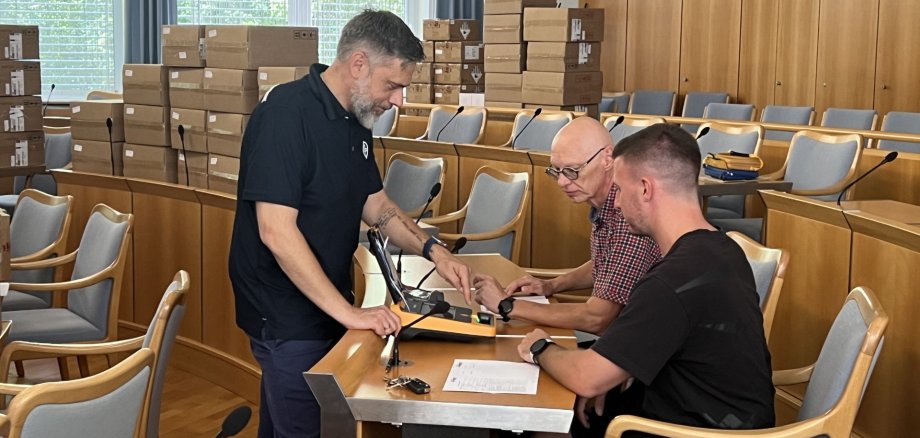
Cardiac arrest strikes suddenly—and it can happen to anyone. When the heart stops beating, every minute counts. Acting quickly and correctly in this situation can make a decisive difference in saving a life. That’s why the Bittmann Foundation is now offering anyone interested the opportunity to learn how to use a defibrillator for free and to practice hands-on. In Idar-Oberstein, even more AEDs (automated external defibrillators) will be available for use in emergencies: The Bittmann Foundation recently donated 82 defibrillators free of charge to organizations and nonprofit institutions in the city. This will significantly strengthen the ability to provide rapid first aid in the event of sudden cardiac arrest.

However, a defibrillator can only save lives quickly if people know how to use it. This is exactly where the new free training program comes in. In a 90-minute training session, participants learn and practice how to use a defibrillator safely and correctly in an emergency. No prior knowledge is required. The program is specifically designed for anyone interested.

There are two dates to choose from for this training session: Saturday, August 22 and 29, 2026, from 10:30 a.m. to 12:00 p.m., in the City Hall conference room, Room II.002, at Georg-Maus-Straße 2, 55743 Idar-Oberstein. Registration is not required.

“A defibrillator can save lives—but what really matters is that, in an emergency, someone has the courage to act and knows what to do,” is the campaign’s central message. The free training sessions are therefore designed to reduce hesitation and build confidence in taking action.

By providing 82 defibrillators and offering free training, the Bittmann Foundation hopes to help ensure that as many people as possible in Idar-Oberstein know what to do in an emergency—and can thus become true lifesavers.

Help with accessibility

  • General

    We make every effort to ensure that our websites are accessible. You can find details on this in our accessibility statement. You can send us suggestions for improvement using our feedback form.

  • Font size

    To adjust the font size, please use the following key combinations:

    Larger

    ⌘command
    +

    Smaller

    ⌘command

    Larger

    Ctrl
    +

    Smaller

    Ctrl
  • Keyboard navigation

    Use TAB and SHIFT + TAB to navigate through next/previous links, form elements and buttons.

    Use ENTER to open links and interact with elements.

  • Contrast mode

    Press the following key combination to reduce or increase the contrast:

    Enlarge

    ⌃control
    ⌥option
    ⌘command
    .

    Decrease

    ⌃control
    ⌥option
    ⌘command
    ,
    Note: The shortcuts must be activated in the system settings of the operating system.

    Press the left ALT key + left SHIFT key + PRINT to quickly switch the high contrast mode on or off.

  • Invert colors

    Press the following key combination to switch the color inversion on and off:

    ⌃control
    ⌥option
    ⌘command
    8
    Note: The shortcuts must be activated in the system settings of the operating system.

    First activate the screen magnifier and then switch the color inversion on and off with the following key combinations:

    1. screen magnifier

    +

    2. invert colors

    Ctrl
    Old
    I
  • Screen magnifier

    Press the following key combinations to use the screen magnifier:

    Switch on/off

    ⌥option
    ⌘command
    8

    Enlarge view

    ⌥option
    ⌘command
    =

    Reduce view

    ⌥option
    ⌘command
    Note: The shortcuts must be activated in the system settings of the operating system.

    Switch on / Enlarge view

    +

    Reduce view

Select language