

This page was automatically translated using artificial intelligence. As a result, the text may contain discrepancies or inaccuracies. Only the original version is binding. No legal claims arising from the content of the translated version will be accepted.

Starting a Career with the City

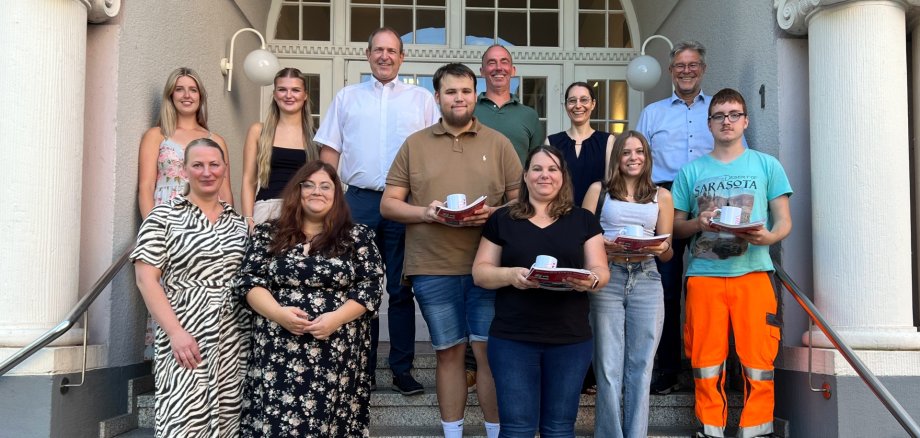
Together with Chief Administrative Officer (LBB) Wolfgang Petry, Youth Services Director Michael Schweizer, and representatives from Human Resources, the employee council, and the youth and trainee council, Mayor Frank Frühauf greeted the new colleagues and welcomed them to the city administration. “The city offers a wide range of vocational training opportunities—in administration, technical professions, or in early childhood education,” explained Mayor Frühauf. “And once you’ve completed your training, many paths will be open to you.” This is also evident in the career fields: Zoe Engel, Nadine Lang, and Elena Rudi-Henn are beginning their training as early childhood educators, Michelle Meirer is completing her professional internship as a childcare worker, Amani Hfaiedh and Silas Siebert are training to become administrative assistants, Anastasiia Filipova is training to become an office management clerk, and Tyler Roßkopp is completing an apprenticeship as a gardener and landscaper at the public works department.

LBB’s Petry, who also serves as training manager, wished the new employees every success and all the best as they begin their careers. “We will encourage and support you, but in return we also expect you to perform accordingly.” Petry emphasized that successful completion of the program would open up good prospects for continued employment. “An exciting time and many new experiences await you,” explained Iris Rüßler-Görg from the staff council. Together with colleagues from Human Resources and the youth and trainee representatives, the staff council is available at any time to answer questions.

Help with accessibility

  • General

    We make every effort to ensure that our websites are accessible. You can find details on this in our accessibility statement. You can send us suggestions for improvement using our feedback form.

  • Font size

    To adjust the font size, please use the following key combinations:

    Larger

    ⌘command
    +

    Smaller

    ⌘command

    Larger

    Ctrl
    +

    Smaller

    Ctrl
  • Keyboard navigation

    Use TAB and SHIFT + TAB to navigate through next/previous links, form elements and buttons.

    Use ENTER to open links and interact with elements.

  • Contrast mode

    Press the following key combination to reduce or increase the contrast:

    Enlarge

    ⌃control
    ⌥option
    ⌘command
    .

    Decrease

    ⌃control
    ⌥option
    ⌘command
    ,
    Note: The shortcuts must be activated in the system settings of the operating system.

    Press the left ALT key + left SHIFT key + PRINT to quickly switch the high contrast mode on or off.

  • Invert colors

    Press the following key combination to switch the color inversion on and off:

    ⌃control
    ⌥option
    ⌘command
    8
    Note: The shortcuts must be activated in the system settings of the operating system.

    First activate the screen magnifier and then switch the color inversion on and off with the following key combinations:

    1. screen magnifier

    +

    2. invert colors

    Ctrl
    Old
    I
  • Screen magnifier

    Press the following key combinations to use the screen magnifier:

    Switch on/off

    ⌥option
    ⌘command
    8

    Enlarge view

    ⌥option
    ⌘command
    =

    Reduce view

    ⌥option
    ⌘command
    Note: The shortcuts must be activated in the system settings of the operating system.

    Switch on / Enlarge view

    +

    Reduce view

Select language