

This page has been automatically translated. As a result, there may be discrepancies or inaccuracies in the text. Only the original version is binding. Legal claims arising from the content of the translated version are excluded.

Experience local history up close

This year, the future schoolchildren of the Enzweiler daycare center once again focused on their own homeland. This time, they were able to experience the legend and history of the rock church up close.

The book author Sabrina Hoffmann from Enzweiler visited the daycare center and told the "Legend of the Rock Church" from her self-written and colorfully illustrated children's book. The children followed the story eagerly and excitedly and asked lots of questions. Afterwards, there were coloring pictures and hand tattoos to match the theme of the rock church.
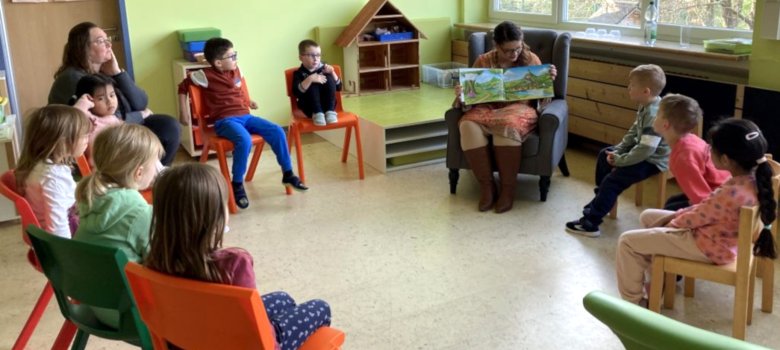
In the photo, the children are sitting in a circle of chairs with a teacher and Sabrina Hoffmann.

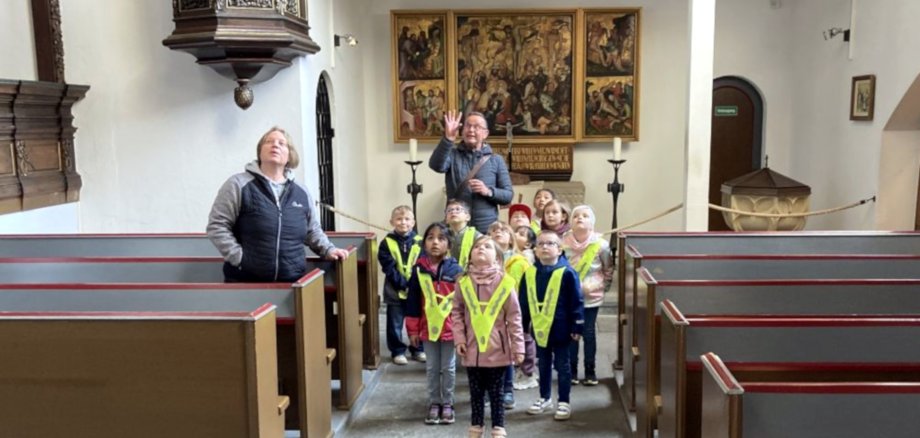
The next day, they took the bus to Oberstein. There, the children walked to the Felsenkirche church with their teachers and were looking forward to the guided tour of the church. Of course, everyone was well prepared thanks to the reading by Sabrina Hoffmann, but they were still able to experience many exciting moments. The story of the two brothers Emich and Wyrich, who both fell in love with the beautiful Bertha, was also retold. Tour guide Rüdiger Becker provided the children with lots of additional information. He also took the visitors to the fantastic viewing platform on the bell tower. A total of 237 steps had to be climbed from the Oberstein market square before the children finally reached the bell tower of the Felsenkirche - a great moment for everyone.

From there, we headed to Oberstein Castle for a picnic. Strengthened, everyone walked back to the ice cream parlor to cool off. A great day with unforgettable experiences and lots to talk about a great homeland.

Help with accessibility

  • General

    We make every effort to ensure that our websites are accessible. You can find details on this in our accessibility statement. You can send us suggestions for improvement using our feedback form.

  • Font size

    To adjust the font size, please use the following key combinations:

    Larger

    ⌘command
    +

    Smaller

    ⌘command

    Larger

    Ctrl
    +

    Smaller

    Ctrl
  • Keyboard navigation

    Use TAB and SHIFT + TAB to navigate through next/previous links, form elements and buttons.

    Use ENTER to open links and interact with elements.

  • Contrast mode

    Press the following key combination to reduce or increase the contrast:

    Enlarge

    ⌃control
    ⌥option
    ⌘command
    .

    Decrease

    ⌃control
    ⌥option
    ⌘command
    ,
    Note: The shortcuts must be activated in the system settings of the operating system.

    Press the left ALT key + left SHIFT key + PRINT to quickly switch the high contrast mode on or off.

  • Invert colors

    Press the following key combination to switch the color inversion on and off:

    ⌃control
    ⌥option
    ⌘command
    8
    Note: The shortcuts must be activated in the system settings of the operating system.

    First activate the screen magnifier and then switch the color inversion on and off with the following key combinations:

    1. screen magnifier

    +

    2. invert colors

    Ctrl
    Old
    I
  • Screen magnifier

    Press the following key combinations to use the screen magnifier:

    Switch on/off

    ⌥option
    ⌘command
    8

    Enlarge view

    ⌥option
    ⌘command
    =

    Reduce view

    ⌥option
    ⌘command
    Note: The shortcuts must be activated in the system settings of the operating system.

    Switch on / Enlarge view

    +

    Reduce view

Select language