This page was automatically translated using artificial intelligence. As a result, the text may contain discrepancies or inaccuracies. Only the original version is binding. No legal claims arising from the content of the translated version will be accepted.

Mr. Teufel Faust

Theater program

Category: Theater program

Mr. Teufel Faust

Based on *Faust I* by Johann Wolfgang von Goethe, produced by EURO Studio Landgraf


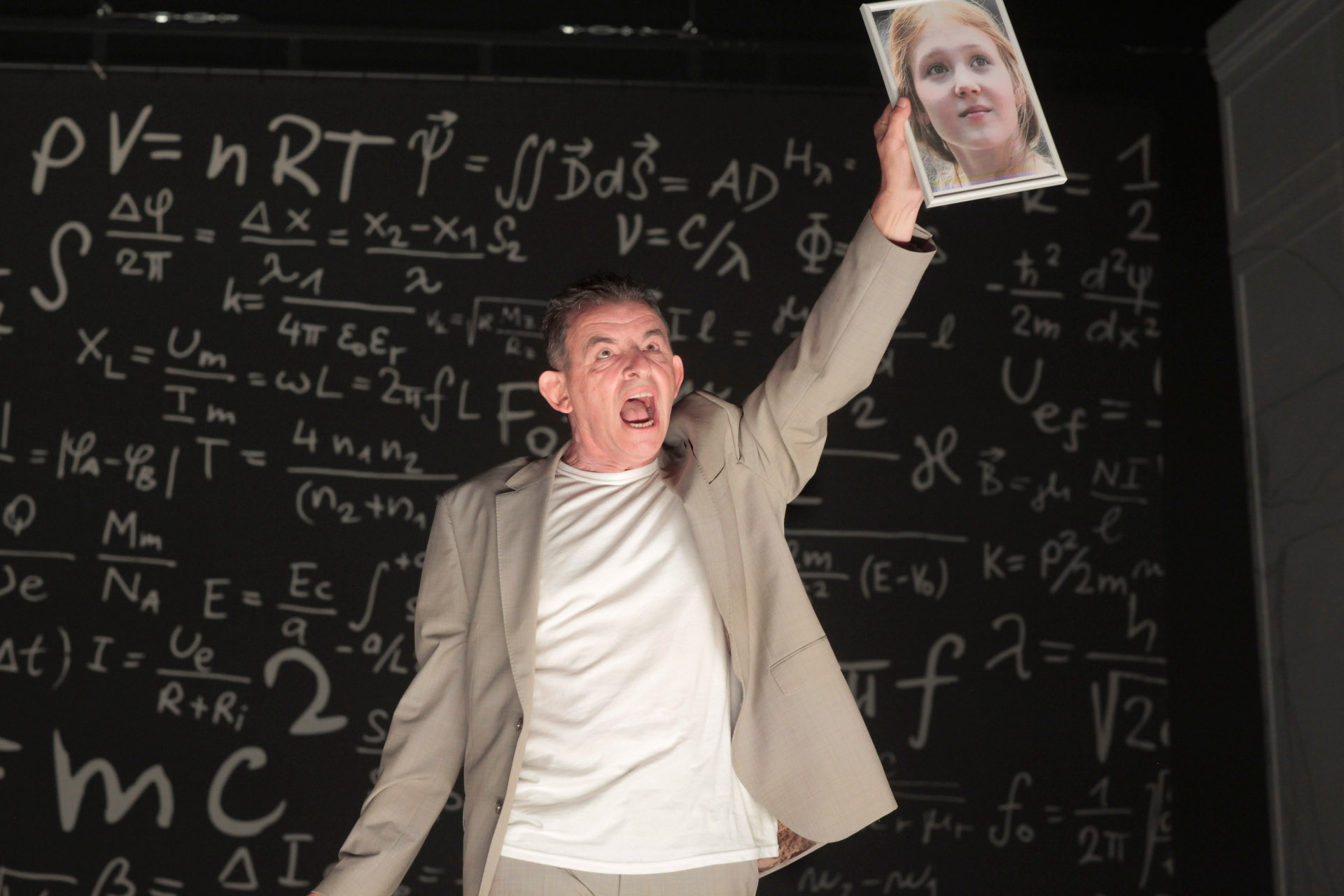
Heinrich Faust considers the here and now to be worthless. Driven by a thirst for knowledge, a craving for pleasure, and an insatiable desire, he seeks to transcend the boundaries of science, the world, and his own self. To do so, he makes a bet with the Devil and plunges into a restless, wild ride through the depths of human depravity. Faster, farther, bigger, more—yet in the end, Gretchen and her child are dead, while the longed-for formula for the world remains undiscovered. “Mr. Devil Faust,” brilliantly embodied in Dominique Horwitz’s one-man play, brings Goethe’s character into the present and confronts him with a world shaped by acceleration, self-optimization, and the desire for greater mindfulness. Climate protection, progress, technology, and the crisis of the Church also come into focus. Would Faust be happier today—or does he, in particular, reveal just how little society has evolved despite all the changes? Even in the “big wide world,” Faust finds no peace. He strives for power and possessions, seeks to conquer land and the sea, and shape humanity according to his own vision. In doing so, the play explores questions of nature and destruction, industrialization, colonization, and the limits of human hubris.

Dominique Horwitz received the INTHEGA Board’s Special Award in 2023 for outstanding and long-standing contributions to German-language touring theater.


Based on Johann Wolfgang von Goethe's *Faust*

Cast: Dominique Horwitz
; Director: Torsten Fischer
; Set Design: Herbert Schäfer, Vasilis Triantafillopoulos


Tickets are now available at all major ticket outlets or at www.ticket-regional.de


People in need can obtain free tickets for this event through KULTURLOGE Mittlere Nahe. Anyone wishing to take advantage of the Kulturloge’s offerings should contact the Soonwald Foundation directly. info@soonwaldstiftung.de

Organizer

Idar-Oberstein Cultural Office

  • Cultural Office

Help with accessibility

  • General

    We make every effort to ensure that our websites are accessible. You can find details on this in our accessibility statement. You can send us suggestions for improvement using our feedback form.

  • Font size

    To adjust the font size, please use the following key combinations:

    Larger

    ⌘command
    +

    Smaller

    ⌘command
    –

    Larger

    Ctrl
    +

    Smaller

    Ctrl
    –
  • Keyboard navigation

    Use TAB and SHIFT + TAB to navigate through next/previous links, form elements and buttons.

    Use ENTER to open links and interact with elements.

  • Contrast mode

    Press the following key combination to reduce or increase the contrast:

    Enlarge

    ⌃control
    ⌥option
    ⌘command
    .

    Decrease

    ⌃control
    ⌥option
    ⌘command
    ,
    Note: The shortcuts must be activated in the system settings of the operating system.

    Press the left ALT key + left SHIFT key + PRINT to quickly switch the high contrast mode on or off.

  • Invert colors

    Press the following key combination to switch the color inversion on and off:

    ⌃control
    ⌥option
    ⌘command
    8
    Note: The shortcuts must be activated in the system settings of the operating system.

    First activate the screen magnifier and then switch the color inversion on and off with the following key combinations:

    1. screen magnifier

    +

    2. invert colors

    Ctrl
    Old
    I
  • Screen magnifier

    Press the following key combinations to use the screen magnifier:

    Switch on/off

    ⌥option
    ⌘command
    8

    Enlarge view

    ⌥option
    ⌘command
    =

    Reduce view

    ⌥option
    ⌘command
    –
    Note: The shortcuts must be activated in the system settings of the operating system.

    Switch on / Enlarge view

    +

    Reduce view

    –

Select language