
11th ETB Family Days
Category: Children / Youth
11th ETB Family Days
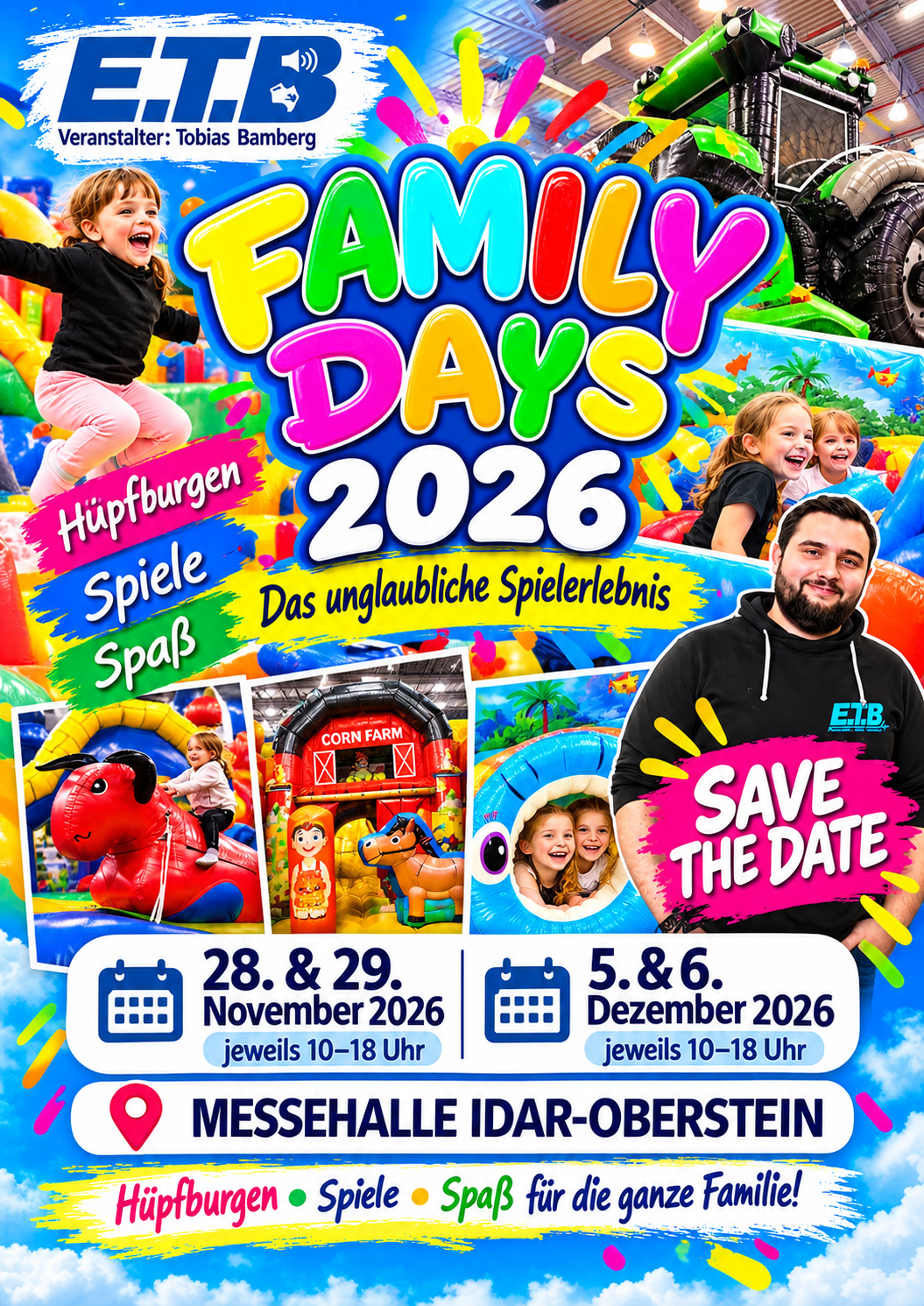
On December 5 & 6, the ETB Family Days will return for their sixth edition at the Idar-Oberstein Exhibition Hall.
After 10 successful events since 2018: the Family Days by ETB-Events.
Thousands have already flocked to this special gaming experience.
Now there will be a new edition: on December 5 & 6, 2026
The doors of the Idar-Oberstein Exhibition Hall will be open daily from 10 a.m. to 6 p.m.
Then kids—and adults, too—can run around, play, climb, and jump to their hearts’ content.
Organizer Tobias Bamberg promises fun on all kinds of inflatable play structures, on “fun event modules for young and old,” as he puts it.
“Especially during the rainy season, this event offers boys and girls the chance to burn off some energy,” says Bamberg.
He sees the Family Days as a welcome break from TV and computers.
Pay for admission once—and then bounce to your heart’s content—that’s the motto.
Among the attractions is the unique XXL obstacle course. And there are also new secret bounce houses in the lineup.
Kids can also try out the fire truck bounce house or the knight’s castle.
Various perennial favorites are also part of the fun. And who’s brave enough to tackle the six-meter-high climbing mountain?
In total, more than a dozen event modules are available 🙂
Visitors can also put their skills to the test. Various inflatable games are available, along with a limbo dance, basketball, soccer billiards, a claw machine, a boxing machine, and XXL darts.
Parents or grandparents who don’t want to join in the fun can pass the time in the foyer. There, food and drinks, delicious sweet and healthy treats, and the famous ETB slush ice are available.
Admission prices: Children up to two years old get in free; those aged three to 65 pay (10) euros for the entire day.
Seniors aged 65 and older get in free.
Late-day rate:
Half-price admission starting at 4:00 p.m.
Upon request, daycare and school groups receive special access on Fridays.
Socks are required for players inside the hall.
Sneakers are permitted only if they have light-colored soles.
We ask our guests to note that bringing in beverages and hot food is not permitted.
We always strive to offer affordable prices.
You can purchase both chilled and hot beverages and food from us.
We look forward to spending wonderful days with you
Your team at
Event Technology Tobias Bamberg