

This page has been automatically translated. As a result, there may be discrepancies or inaccuracies in the text. Only the original version is binding. Legal claims arising from the content of the translated version are excluded.

We'll turn it off!

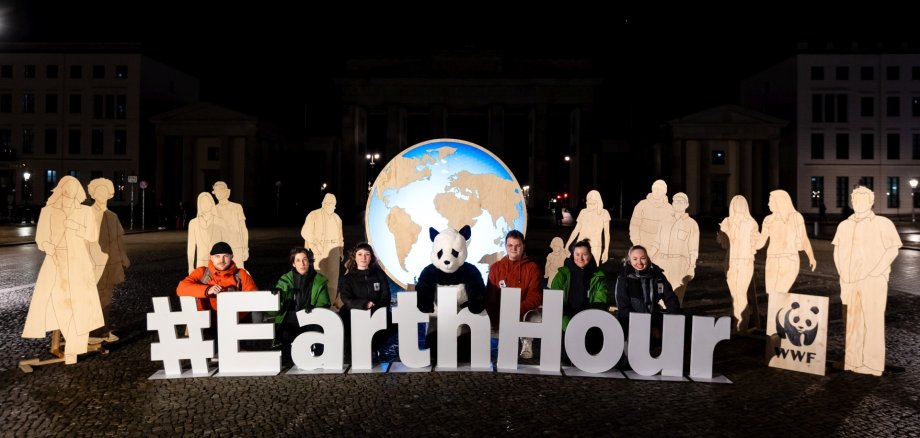
This year, the city of Idar-Oberstein is once again following the call of the WWF Germany environmental foundation and taking part in 'Earth Hour'. In doing so, it is sending out a visible signal for climate protection and social cohesion.

With 'Earth Hour', people, cities and companies around the world are committed to protecting the foundations of our existence. They will switch off the lights for one hour on Saturday, March 28, 2026, at 8.30 pm. Well-known buildings will then once again be in symbolic darkness, including landmarks such as the Brandenburg Gate in Berlin. In Idar-Oberstein, the lights at the town hall, train station, Felsenkirche church and Oberstein Castle will be switched off for Earth Hour.

This year, the motto for Earth Hour in Germany is 'We're turning it off'. In concrete terms, this means switching off the lights - and setting an example at the same time. Because each and every one of us can do our bit to create a future worth living for everyone - by working together to demand more climate and environmental protection.

Earth Hour is perhaps more relevant than ever this year - its 20th anniversary. Now is the time to stand up for progress. At home, too. Because climate protection starts locally: in our cities, neighborhoods and in people's daily lives. Earth Hour is a reminder that local authorities, together with their citizens, can make a contribution to a healthy, liveable and sustainable city.

  • You can find all the information you need to take part at https://www.wwf.de/earth-hour.

Help with accessibility

  • General

    We make every effort to ensure that our websites are accessible. You can find details on this in our accessibility statement. You can send us suggestions for improvement using our feedback form.

  • Font size

    To adjust the font size, please use the following key combinations:

    Larger

    ⌘command
    +

    Smaller

    ⌘command

    Larger

    Ctrl
    +

    Smaller

    Ctrl
  • Keyboard navigation

    Use TAB and SHIFT + TAB to navigate through next/previous links, form elements and buttons.

    Use ENTER to open links and interact with elements.

  • Contrast mode

    Press the following key combination to reduce or increase the contrast:

    Enlarge

    ⌃control
    ⌥option
    ⌘command
    .

    Decrease

    ⌃control
    ⌥option
    ⌘command
    ,
    Note: The shortcuts must be activated in the system settings of the operating system.

    Press the left ALT key + left SHIFT key + PRINT to quickly switch the high contrast mode on or off.

  • Invert colors

    Press the following key combination to switch the color inversion on and off:

    ⌃control
    ⌥option
    ⌘command
    8
    Note: The shortcuts must be activated in the system settings of the operating system.

    First activate the screen magnifier and then switch the color inversion on and off with the following key combinations:

    1. screen magnifier

    +

    2. invert colors

    Ctrl
    Old
    I
  • Screen magnifier

    Press the following key combinations to use the screen magnifier:

    Switch on/off

    ⌥option
    ⌘command
    8

    Enlarge view

    ⌥option
    ⌘command
    =

    Reduce view

    ⌥option
    ⌘command
    Note: The shortcuts must be activated in the system settings of the operating system.

    Switch on / Enlarge view

    +

    Reduce view

Select language