

This page has been automatically translated. As a result, there may be discrepancies or inaccuracies in the text. Only the original version is binding. Legal claims arising from the content of the translated version are excluded.

City launches facade competition 2025/2026

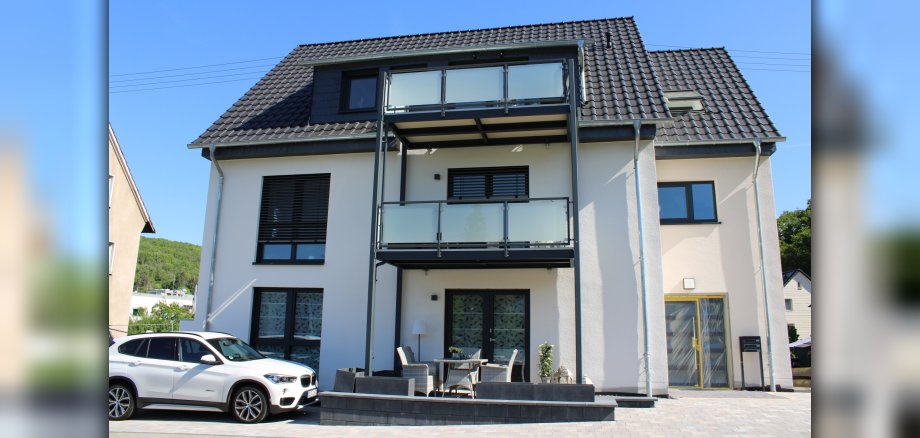
Property owners in Idar-Oberstein have the opportunity to register their stylishly renovated or colorfully redesigned properties for this in 2025 and 2026. An expert jury will evaluate the work carried out and award cash prizes for the best properties. The competition is supported by the Rhine-Nahe-Hunsrück Building Trades Guild and the Idar-Oberstein and Surrounding Area Homeowners' Association (Haus- und Grundeigentümer-Verein Idar-Oberstein und Umgebung e. V.).

The aim of the façade competition is to offer homeowners in the city a small incentive to contribute to a visually appealing living environment by modernizing their properties. After all, an attractive cityscape is in the interests of both citizens and the city council and administration. Ideally, the ideas will inspire and encourage other building owners to take action themselves.

The City Planning Office would like to point out that the closing date for entries for the current 2025/2026 façade competition is February 26, 2027. A form with an application form and the conditions of participation can be downloaded from the city's website at www.idar-oberstein.de/fassadenwettbewerb. More information about the competition can also be found there.

Help with accessibility

  • General

    We make every effort to ensure that our websites are accessible. You can find details on this in our accessibility statement. You can send us suggestions for improvement using our feedback form.

  • Font size

    To adjust the font size, please use the following key combinations:

    Larger

    ⌘command
    +

    Smaller

    ⌘command

    Larger

    Ctrl
    +

    Smaller

    Ctrl
  • Keyboard navigation

    Use TAB and SHIFT + TAB to navigate through next/previous links, form elements and buttons.

    Use ENTER to open links and interact with elements.

  • Contrast mode

    Press the following key combination to reduce or increase the contrast:

    Enlarge

    ⌃control
    ⌥option
    ⌘command
    .

    Decrease

    ⌃control
    ⌥option
    ⌘command
    ,
    Note: The shortcuts must be activated in the system settings of the operating system.

    Press the left ALT key + left SHIFT key + PRINT to quickly switch the high contrast mode on or off.

  • Invert colors

    Press the following key combination to switch the color inversion on and off:

    ⌃control
    ⌥option
    ⌘command
    8
    Note: The shortcuts must be activated in the system settings of the operating system.

    First activate the screen magnifier and then switch the color inversion on and off with the following key combinations:

    1. screen magnifier

    +

    2. invert colors

    Ctrl
    Old
    I
  • Screen magnifier

    Press the following key combinations to use the screen magnifier:

    Switch on/off

    ⌥option
    ⌘command
    8

    Enlarge view

    ⌥option
    ⌘command
    =

    Reduce view

    ⌥option
    ⌘command
    Note: The shortcuts must be activated in the system settings of the operating system.

    Switch on / Enlarge view

    +

    Reduce view

Select language