

This page has been automatically translated. As a result, there may be discrepancies or inaccuracies in the text. Only the original version is binding. Legal claims arising from the content of the translated version are excluded.

Housing for Americans also wanted in Idar-Oberstein

The Housing Division is therefore once again looking for apartments and houses of all sizes that can be offered to American military personnel.

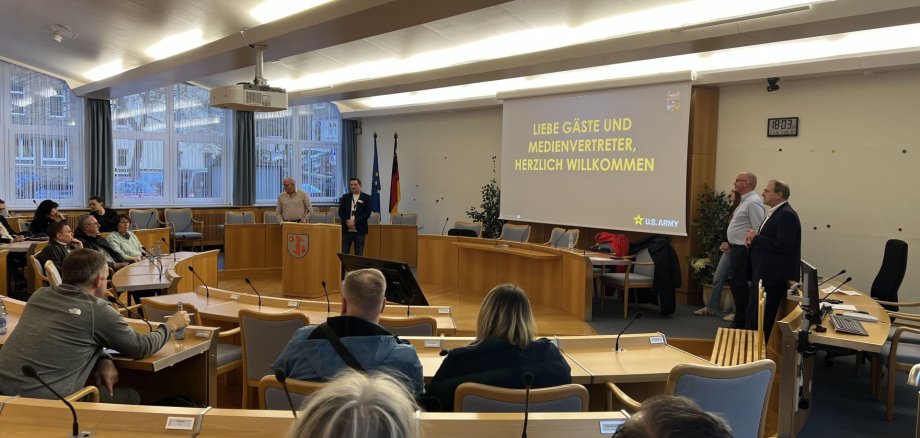
At a recent information event for property owners, employees from the Housing Division in Idar-Oberstein presented the requirements for this and the support the Housing Division offers for letting. Mayor Frank Frühauf welcomed the representatives of the Housing Division in Idar-Oberstein and was delighted at the great interest shown by the property owners present.

The apartments and houses should have a fitted kitchen, ceiling lights and smoke detectors installed and also be unfurnished. After a visit by an inspector, the properties are presented on a homepage for US soldiers, where the interested parties can then select the right rental property themselves. The subsequent rental agreement is concluded directly between the US soldiers and the property owner. The Housing Division provides support with communication and registering water and electricity. In addition to Housing Chief Harald Kastner, Markus Immesberger, Benjamin Werle and Kim Johann from the Housing Division were also present to answer questions afterwards.

- The contact persons of the Housing Division are available by e-mail USAG-RP-BHR_HSG_OFF-POST@army.mil or by telephone on 0611-143-531-2996 if you have any questions.


Help with accessibility

  • General

    We make every effort to ensure that our websites are accessible. You can find details on this in our accessibility statement. You can send us suggestions for improvement using our feedback form.

  • Font size

    To adjust the font size, please use the following key combinations:

    Larger

    ⌘command
    +

    Smaller

    ⌘command

    Larger

    Ctrl
    +

    Smaller

    Ctrl
  • Keyboard navigation

    Use TAB and SHIFT + TAB to navigate through next/previous links, form elements and buttons.

    Use ENTER to open links and interact with elements.

  • Contrast mode

    Press the following key combination to reduce or increase the contrast:

    Enlarge

    ⌃control
    ⌥option
    ⌘command
    .

    Decrease

    ⌃control
    ⌥option
    ⌘command
    ,
    Note: The shortcuts must be activated in the system settings of the operating system.

    Press the left ALT key + left SHIFT key + PRINT to quickly switch the high contrast mode on or off.

  • Invert colors

    Press the following key combination to switch the color inversion on and off:

    ⌃control
    ⌥option
    ⌘command
    8
    Note: The shortcuts must be activated in the system settings of the operating system.

    First activate the screen magnifier and then switch the color inversion on and off with the following key combinations:

    1. screen magnifier

    +

    2. invert colors

    Ctrl
    Old
    I
  • Screen magnifier

    Press the following key combinations to use the screen magnifier:

    Switch on/off

    ⌥option
    ⌘command
    8

    Enlarge view

    ⌥option
    ⌘command
    =

    Reduce view

    ⌥option
    ⌘command
    Note: The shortcuts must be activated in the system settings of the operating system.

    Switch on / Enlarge view

    +

    Reduce view

Select language