

This page has been automatically translated. As a result, there may be discrepancies or inaccuracies in the text. Only the original version is binding. Legal claims arising from the content of the translated version are excluded.

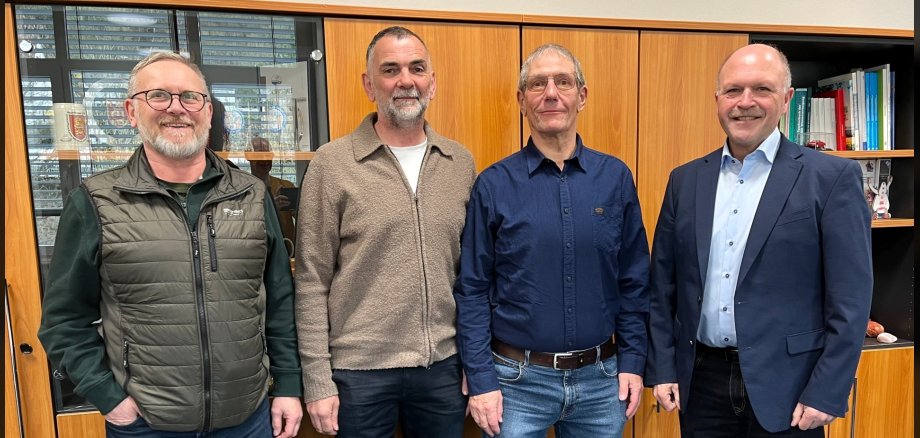
Dietmar Groß is retired

On June 1, 1987, Dietmar Groß was hired by the municipal utilities as a sewage treatment specialist and worked at the Almerich right from the start. After further training, he passed his examination as a supply and disposal specialist in the wastewater department in January 1993. During his many years of service, many things have changed at the sewage treatment plant, such as the switch from manual to electronic control. Although this is basically an improvement, "you have to check the electronics more often, they sometimes give incorrect values," says Groß.

During the ceremony, those present looked back on many shared experiences. "Dietmar Groß is leaving us as a long-serving, deserving employee; we will miss his extensive knowledge," said Mayor Friedrich Marx, paying tribute to the achievements of the future pensioner. He thanked Groß for his work and emphasized that he could be proud of his lifetime achievements in the service of Stadtwerke.

"Dietmar Groß was always reliable and maintained open and constructive communication," emphasized Heinz Marx, Head of the Wastewater Disposal Department. "You always knew where you stood with him." This was also confirmed by his colleague Thomas Bartholome, who also acted as staff representative. "We fought many battles together and always pulled together." Colleagues presented Dietmar Groß with a certificate of thanks and gifts to mark his retirement and wished him all the best for the new phase of his life.

Help with accessibility

  • General

    We make every effort to ensure that our websites are accessible. You can find details on this in our accessibility statement. You can send us suggestions for improvement using our feedback form.

  • Font size

    To adjust the font size, please use the following key combinations:

    Larger

    ⌘command
    +

    Smaller

    ⌘command

    Larger

    Ctrl
    +

    Smaller

    Ctrl
  • Keyboard navigation

    Use TAB and SHIFT + TAB to navigate through next/previous links, form elements and buttons.

    Use ENTER to open links and interact with elements.

  • Contrast mode

    Press the following key combination to reduce or increase the contrast:

    Enlarge

    ⌃control
    ⌥option
    ⌘command
    .

    Decrease

    ⌃control
    ⌥option
    ⌘command
    ,
    Note: The shortcuts must be activated in the system settings of the operating system.

    Press the left ALT key + left SHIFT key + PRINT to quickly switch the high contrast mode on or off.

  • Invert colors

    Press the following key combination to switch the color inversion on and off:

    ⌃control
    ⌥option
    ⌘command
    8
    Note: The shortcuts must be activated in the system settings of the operating system.

    First activate the screen magnifier and then switch the color inversion on and off with the following key combinations:

    1. screen magnifier

    +

    2. invert colors

    Ctrl
    Old
    I
  • Screen magnifier

    Press the following key combinations to use the screen magnifier:

    Switch on/off

    ⌥option
    ⌘command
    8

    Enlarge view

    ⌥option
    ⌘command
    =

    Reduce view

    ⌥option
    ⌘command
    Note: The shortcuts must be activated in the system settings of the operating system.

    Switch on / Enlarge view

    +

    Reduce view

Select language