

This page has been automatically translated. As a result, there may be discrepancies or inaccuracies in the text. Only the original version is binding. Legal claims arising from the content of the translated version are excluded.

Safeguarding measures begin in the landscape park

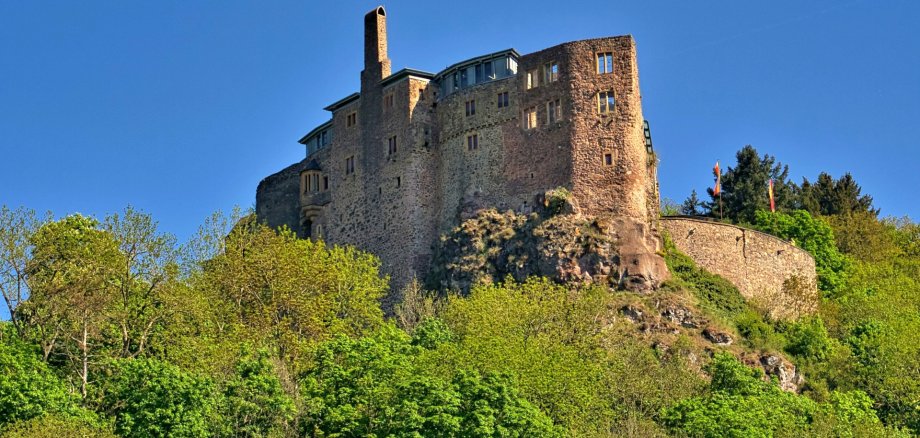
On Monday, October 20, 2025, the Landesbetrieb Liegenschafts- und Baubetreuung (LBB) will begin several safety measures in the area of the landscape park of Oberstein Castle. Among other things, the rock on which the castle is founded will be provided with a near-contour network to stabilize the rock formation.

In preparation for the safety measures, pruning and tree care work will be carried out first. This is expected to last until December 3, 2025. For safety reasons, the footpaths and hiking trails in the entire area below Oberstein Castle and the castle pond up to the Felsenkirche must be closed during this work. The Felsenkirche will remain accessible from the Oberstein market square and via Genossenschaftsstraße.

The actual securing measures then begin at a total of five danger spots with open rock formations. As the dimensions of the danger spots vary greatly, various securing strategies - clearing, cross-linking, rockfall barriers, shotcrete - will be used. In order to carry out this work, only selective closures of footpaths and hiking trails are necessary in the affected areas.

LBB asks for your understanding for the inconvenience caused by the work.

Help with accessibility

  • General

    We make every effort to ensure that our websites are accessible. You can find details on this in our accessibility statement. You can send us suggestions for improvement using our feedback form.

  • Font size

    To adjust the font size, please use the following key combinations:

    Larger

    ⌘command
    +

    Smaller

    ⌘command

    Larger

    Ctrl
    +

    Smaller

    Ctrl
  • Keyboard navigation

    Use TAB and SHIFT + TAB to navigate through next/previous links, form elements and buttons.

    Use ENTER to open links and interact with elements.

  • Contrast mode

    Press the following key combination to reduce or increase the contrast:

    Enlarge

    ⌃control
    ⌥option
    ⌘command
    .

    Decrease

    ⌃control
    ⌥option
    ⌘command
    ,
    Note: The shortcuts must be activated in the system settings of the operating system.

    Press the left ALT key + left SHIFT key + PRINT to quickly switch the high contrast mode on or off.

  • Invert colors

    Press the following key combination to switch the color inversion on and off:

    ⌃control
    ⌥option
    ⌘command
    8
    Note: The shortcuts must be activated in the system settings of the operating system.

    First activate the screen magnifier and then switch the color inversion on and off with the following key combinations:

    1. screen magnifier

    +

    2. invert colors

    Ctrl
    Old
    I
  • Screen magnifier

    Press the following key combinations to use the screen magnifier:

    Switch on/off

    ⌥option
    ⌘command
    8

    Enlarge view

    ⌥option
    ⌘command
    =

    Reduce view

    ⌥option
    ⌘command
    Note: The shortcuts must be activated in the system settings of the operating system.

    Switch on / Enlarge view

    +

    Reduce view

Select language