

This page has been automatically translated. As a result, there may be discrepancies or inaccuracies in the text. Only the original version is binding. Legal claims arising from the content of the translated version are excluded.

Advisory Board for Migration and Integration at the Wasenfest

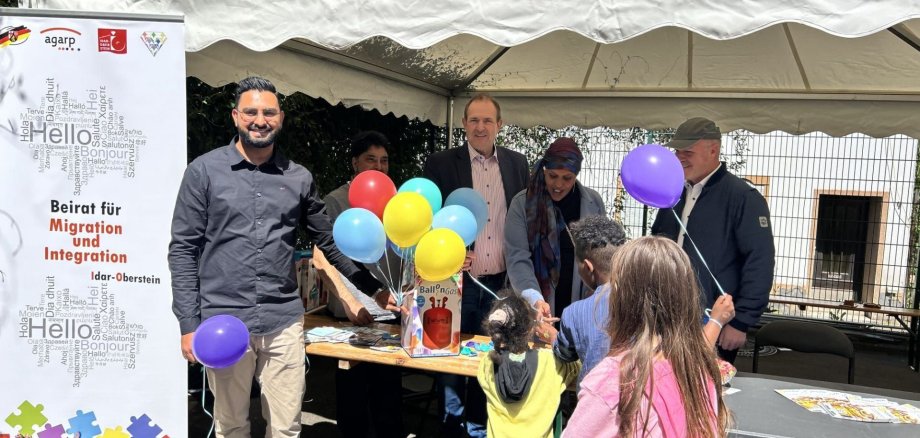
The Advisory Board for Migration and Integration (BMI) recently presented itself with an information stand at this year's Wasenfest on the Day of Urban Development in the Wasenstraße district. The members Shahid Sohail, Bariga Hussein Ali, Martin Lehmann and the chairman, Arslan Muneeb, were also present.

There were many conversations with visitors to the festival. Lord Mayor Frank Frühauf and Mayor Friedrich Marx also made a stop at the BMI information stand. The participation of the advisory board was perceived very positively and the advisory board members were able to make new contacts to promote their work and the Integreat app. The app and the accompanying website integreat.app/birkenfeld/en now offer a central point of contact for important information about life in the district - now even in six languages, up-to-date and easily accessible.

The more than 250 helium balloons distributed and the sweets for children were particularly well received. The advisory board also organized additional helpers to provide active support at the henna stand, which also contributed to the colourful and open atmosphere of the festival. The event was a complete success and a great opportunity to talk to the people who live here.

Help with accessibility

  • General

    We make every effort to ensure that our websites are accessible. You can find details on this in our accessibility statement. You can send us suggestions for improvement using our feedback form.

  • Font size

    To adjust the font size, please use the following key combinations:

    Larger

    ⌘command
    +

    Smaller

    ⌘command

    Larger

    Ctrl
    +

    Smaller

    Ctrl
  • Keyboard navigation

    Use TAB and SHIFT + TAB to navigate through next/previous links, form elements and buttons.

    Use ENTER to open links and interact with elements.

  • Contrast mode

    Press the following key combination to reduce or increase the contrast:

    Enlarge

    ⌃control
    ⌥option
    ⌘command
    .

    Decrease

    ⌃control
    ⌥option
    ⌘command
    ,
    Note: The shortcuts must be activated in the system settings of the operating system.

    Press the left ALT key + left SHIFT key + PRINT to quickly switch the high contrast mode on or off.

  • Invert colors

    Press the following key combination to switch the color inversion on and off:

    ⌃control
    ⌥option
    ⌘command
    8
    Note: The shortcuts must be activated in the system settings of the operating system.

    First activate the screen magnifier and then switch the color inversion on and off with the following key combinations:

    1. screen magnifier

    +

    2. invert colors

    Ctrl
    Old
    I
  • Screen magnifier

    Press the following key combinations to use the screen magnifier:

    Switch on/off

    ⌥option
    ⌘command
    8

    Enlarge view

    ⌥option
    ⌘command
    =

    Reduce view

    ⌥option
    ⌘command
    Note: The shortcuts must be activated in the system settings of the operating system.

    Switch on / Enlarge view

    +

    Reduce view

Select language