

This page has been automatically translated. As a result, there may be discrepancies or inaccuracies in the text. Only the original version is binding. Legal claims arising from the content of the translated version are excluded.

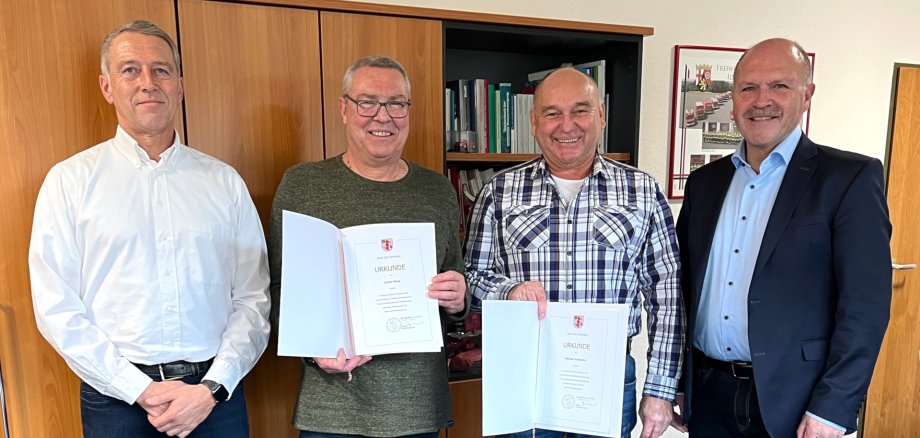
Michael Schneider and Lothar Haag have retired

Michael Schneider was hired as a pipe network engineer on November 1, 1992, and almost ten years later, on March 1, 2002, Lothar Haag was hired as a plant mechanic for supply technology at the municipal utilities. Since then, both have worked together with their colleagues to ensure the functionality of the drinking water network in the municipal utility's supply area. "We used to do a lot of the work by hand, but later we got better equipped with machines and devices," they explained and are glad that they were spared any serious accidents during their years of work.

"Michael Schneider and Lothar Haag have done a lot for Stadtwerke during their many years of service," said Mayor Marx, praising the commitment of the two future retirees. "A generational change is currently taking place at the municipal utilities, and a lot of experience is being lost in the process." The employees responsible for the pipe network are out and about in all weathers to keep the systems operational, repair leaks and thus ensure the water supply for the citizens, emphasized the head of the municipal utilities. According to Marx, this work is not without danger, which is why he is pleased that Michael Schneider and Lothar Haag can retire in good health. He thanked them for their many years of service with certificates and gifts and wished them both all the best for the new phase of their lives. Colleagues and staff representatives were happy to join in the thanks and good wishes.

Help with accessibility

  • General

    We make every effort to ensure that our websites are accessible. You can find details on this in our accessibility statement. You can send us suggestions for improvement using our feedback form.

  • Font size

    To adjust the font size, please use the following key combinations:

    Larger

    ⌘command
    +

    Smaller

    ⌘command

    Larger

    Ctrl
    +

    Smaller

    Ctrl
  • Keyboard navigation

    Use TAB and SHIFT + TAB to navigate through next/previous links, form elements and buttons.

    Use ENTER to open links and interact with elements.

  • Contrast mode

    Press the following key combination to reduce or increase the contrast:

    Enlarge

    ⌃control
    ⌥option
    ⌘command
    .

    Decrease

    ⌃control
    ⌥option
    ⌘command
    ,
    Note: The shortcuts must be activated in the system settings of the operating system.

    Press the left ALT key + left SHIFT key + PRINT to quickly switch the high contrast mode on or off.

  • Invert colors

    Press the following key combination to switch the color inversion on and off:

    ⌃control
    ⌥option
    ⌘command
    8
    Note: The shortcuts must be activated in the system settings of the operating system.

    First activate the screen magnifier and then switch the color inversion on and off with the following key combinations:

    1. screen magnifier

    +

    2. invert colors

    Ctrl
    Old
    I
  • Screen magnifier

    Press the following key combinations to use the screen magnifier:

    Switch on/off

    ⌥option
    ⌘command
    8

    Enlarge view

    ⌥option
    ⌘command
    =

    Reduce view

    ⌥option
    ⌘command
    Note: The shortcuts must be activated in the system settings of the operating system.

    Switch on / Enlarge view

    +

    Reduce view

Select language