

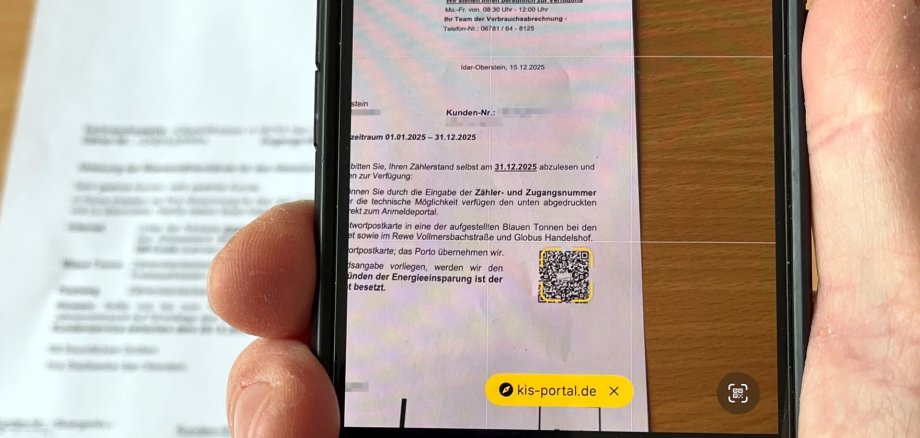
From Monday, December 15, 2025, Stadtwerke Idar-Oberstein will be sending out letters with meter reading cards to meter payers in the city area. Despite the early mailing, customers should not read their water meters and report the meter readings to Stadtwerke until December 31 if possible. As the new radio water meters have already been installed in the districts of Enzweiler, Göttschied and Hammerstein, customers in these districts will no longer receive meter reading cards. These meter readings are automatically transmitted to the municipal utilities.
There are various ways to report meter readings. The most convenient way is probably via smartphone or tablet. This is because a QR code is printed on the letters, which takes customers directly to the meter reading registration. Alternatively, the meter reading can also be reported by email to info-stadtwerke@idar-oberstein.de, stating the meter number. Customers can also continue to return the meter reading card by post or drop it in the "blue garbage cans" that the municipal utilities place at various locations in the city.
The "blue garbage cans" will be available from Wednesday, December 17, 2025, in all Idar-Oberstein branches of Kreissparkasse Birkenfeld and Vereinigte Volksbank Raiffeisenbank eG as well as at Globus Handelshof and EKZ. The meter readings should be submitted to the municipal utilities by Tuesday, January 13, 2026 at the latest. Customers who have not reported their meter reading by this date will have their consumption estimated.