

This page has been automatically translated. As a result, there may be discrepancies or inaccuracies in the text. Only the original version is binding. Legal claims arising from the content of the translated version are excluded.

"A sign of successful integration"

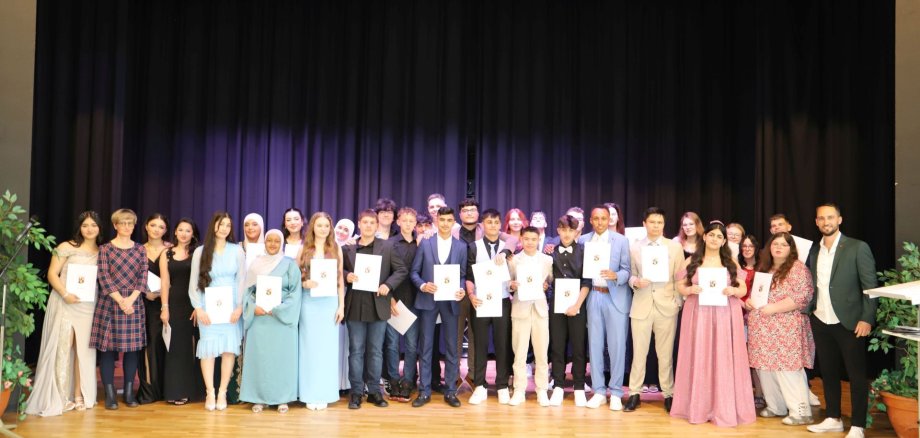
On the morning of July 5, family members and teachers gathered in the festively decorated Göttenbach auditorium to bid farewell to the 2024 graduating class of Realschule plus Idar-Oberstein. In his welcoming address, Headmaster Christian Back told the graduates "that this day of graduation is not the end, but the beginning of something new" and emphasized "that a decisive aspect of the graduates' new path in life is their role as responsible citizens in our democratic society."

The final speech by the class leaders, given by Nina Bank (Class 9B1) on behalf of all the colleagues involved, was framed by a picture show and a quiz with the teachers about the past school year. In the latter, Carsten Becker (Class 10a) in particular shone with his insider knowledge of his departing students. The graduation speech by Lenia-Kim Daniels and Lena Klein was followed by the central point of the program, the presentation of certificates. 34 students achieved the Qualified Secondary School Certificate I and 21 students were awarded the certificate of vocational maturity. After the certificates were awarded, the graduates with the best results in each of the four graduating classes were honored (Niklas Welker 9B1, Shayan Younas 9B2, Daniel Gelich 10a and Sawda Eidid 10b). In addition, Lenia-Kim Daniels and Lena Klein received the prize from the Minister of Education for their special commitment to the school community.

Following the official part of the ceremony, a champagne reception was held in the anteroom of the assembly hall. This allowed students, parents and teachers to say goodbye to each other in a relaxed atmosphere at the end of the school year. (Text Realschule Plus / Carsten Winkler)

Help with accessibility

  • General

    We make every effort to ensure that our websites are accessible. You can find details on this in our accessibility statement. You can send us suggestions for improvement using our feedback form.

  • Font size

    To adjust the font size, please use the following key combinations:

    Larger

    ⌘command
    +

    Smaller

    ⌘command

    Larger

    Ctrl
    +

    Smaller

    Ctrl
  • Keyboard navigation

    Use TAB and SHIFT + TAB to navigate through next/previous links, form elements and buttons.

    Use ENTER to open links and interact with elements.

  • Contrast mode

    Press the following key combination to reduce or increase the contrast:

    Enlarge

    ⌃control
    ⌥option
    ⌘command
    .

    Decrease

    ⌃control
    ⌥option
    ⌘command
    ,
    Note: The shortcuts must be activated in the system settings of the operating system.

    Press the left ALT key + left SHIFT key + PRINT to quickly switch the high contrast mode on or off.

  • Invert colors

    Press the following key combination to switch the color inversion on and off:

    ⌃control
    ⌥option
    ⌘command
    8
    Note: The shortcuts must be activated in the system settings of the operating system.

    First activate the screen magnifier and then switch the color inversion on and off with the following key combinations:

    1. screen magnifier

    +

    2. invert colors

    Ctrl
    Old
    I
  • Screen magnifier

    Press the following key combinations to use the screen magnifier:

    Switch on/off

    ⌥option
    ⌘command
    8

    Enlarge view

    ⌥option
    ⌘command
    =

    Reduce view

    ⌥option
    ⌘command
    Note: The shortcuts must be activated in the system settings of the operating system.

    Switch on / Enlarge view

    +

    Reduce view

Select language