

This page has been automatically translated. As a result, there may be discrepancies or inaccuracies in the text. Only the original version is binding. Legal claims arising from the content of the translated version are excluded.

Exhibition of trainees in the gemstone processing professions

And for more than 100 years, young people have been prepared for this demanding trade, first at trade school and later at vocational school and in inter-company training. Drawing and painting were and still are an important part of the training.

A small selection of these pictures will now be on display in the foyer of the city administration until mid-April 2024. Udo Juchem, the former chairman of the Association for the Promotion of Gemstone-Processing Professions, discovered cabinets containing old patterns from the vocational school and drawings by former students in a storage room at the Harald Fissler School. It is thanks to him that these old treasures were rediscovered and restored.

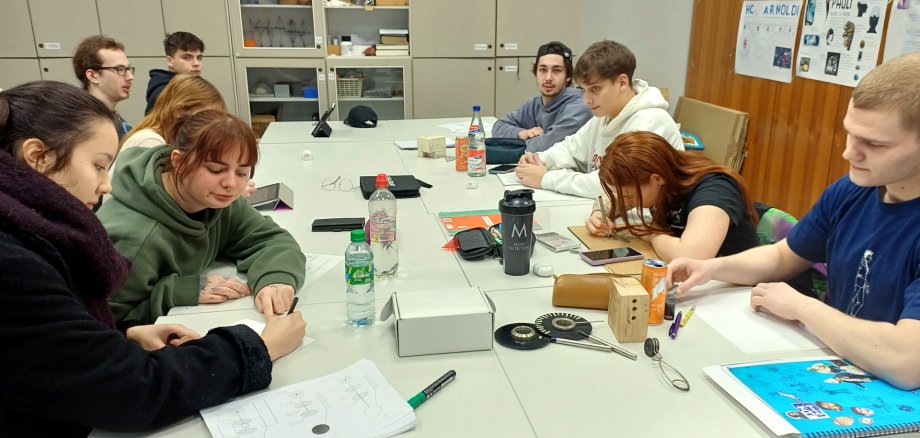
The fire at the gemstone and jewelry campus in Idar-Oberstein also affected the loop and the engraving workshop and no practical lessons could take place. After this break, the students of the gemstone processing professions put together this small exhibition.

The pictures of former and current trainees can be admired.

  • The foyer of the city administration is open Monday to Wednesday from 7 am to 4 pm, Thursday from 7 am to 6 pm and Friday from 7 am to 12 pm.

Help with accessibility

  • General

    We make every effort to ensure that our websites are accessible. You can find details on this in our accessibility statement. You can send us suggestions for improvement using our feedback form.

  • Font size

    To adjust the font size, please use the following key combinations:

    Larger

    ⌘command
    +

    Smaller

    ⌘command

    Larger

    Ctrl
    +

    Smaller

    Ctrl
  • Keyboard navigation

    Use TAB and SHIFT + TAB to navigate through next/previous links, form elements and buttons.

    Use ENTER to open links and interact with elements.

  • Contrast mode

    Press the following key combination to reduce or increase the contrast:

    Enlarge

    ⌃control
    ⌥option
    ⌘command
    .

    Decrease

    ⌃control
    ⌥option
    ⌘command
    ,
    Note: The shortcuts must be activated in the system settings of the operating system.

    Press the left ALT key + left SHIFT key + PRINT to quickly switch the high contrast mode on or off.

  • Invert colors

    Press the following key combination to switch the color inversion on and off:

    ⌃control
    ⌥option
    ⌘command
    8
    Note: The shortcuts must be activated in the system settings of the operating system.

    First activate the screen magnifier and then switch the color inversion on and off with the following key combinations:

    1. screen magnifier

    +

    2. invert colors

    Ctrl
    Old
    I
  • Screen magnifier

    Press the following key combinations to use the screen magnifier:

    Switch on/off

    ⌥option
    ⌘command
    8

    Enlarge view

    ⌥option
    ⌘command
    =

    Reduce view

    ⌥option
    ⌘command
    Note: The shortcuts must be activated in the system settings of the operating system.

    Switch on / Enlarge view

    +

    Reduce view

Select language