

This page has been automatically translated. As a result, there may be discrepancies or inaccuracies in the text. Only the original version is binding. Legal claims arising from the content of the translated version are excluded.

Soon we'll be climbing the stairs again

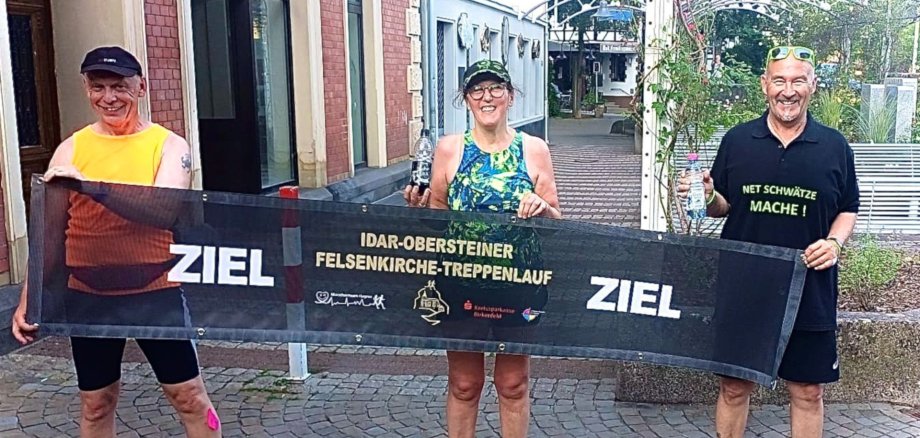
Two competitions are once again on the program for the stair run. The short distance run starts at 11 a.m. and covers around 5.4 kilometers with 450 steps and 246 meters of altitude. The main run starts at 12 noon and covers around 8.4 kilometers with 635 steps and 468 meters of altitude. The start and finish is at the Oberstein market square.

The stair run is an event organized by the city of Idar-Oberstein, under the patronage of Lord Mayor Frank Frühauf. The event is organized by the Hagner marathon team, supported by a team of volunteers and organizers as well as numerous sponsors. They will once again ensure that every participant receives a bag full of goodies. The cloth bags are provided by the City Mood project as part of the federal program "Sustainable inner cities and centers". They feature a picture of the Felsenkirche church to match the event.

To prepare for the stair run, the Hagner marathon team offers regular running meetings, which are also well received. Every Tuesday at 6.30 p.m. and Sunday at 10 a.m., runners can get to know the route and train for the competitions. The meeting point is always at the Oberstein market square.

  • Registrations for the Felsenkirche stair run are possible until Sunday, September 8, 2024, at https://my.raceresult.com/275259/, the entry fee is 10 euros per run. Late registrations are not possible. Further information can be found at www.marathonteam-hagner.de.

Help with accessibility

  • General

    We make every effort to ensure that our websites are accessible. You can find details on this in our accessibility statement. You can send us suggestions for improvement using our feedback form.

  • Font size

    To adjust the font size, please use the following key combinations:

    Larger

    ⌘command
    +

    Smaller

    ⌘command

    Larger

    Ctrl
    +

    Smaller

    Ctrl
  • Keyboard navigation

    Use TAB and SHIFT + TAB to navigate through next/previous links, form elements and buttons.

    Use ENTER to open links and interact with elements.

  • Contrast mode

    Press the following key combination to reduce or increase the contrast:

    Enlarge

    ⌃control
    ⌥option
    ⌘command
    .

    Decrease

    ⌃control
    ⌥option
    ⌘command
    ,
    Note: The shortcuts must be activated in the system settings of the operating system.

    Press the left ALT key + left SHIFT key + PRINT to quickly switch the high contrast mode on or off.

  • Invert colors

    Press the following key combination to switch the color inversion on and off:

    ⌃control
    ⌥option
    ⌘command
    8
    Note: The shortcuts must be activated in the system settings of the operating system.

    First activate the screen magnifier and then switch the color inversion on and off with the following key combinations:

    1. screen magnifier

    +

    2. invert colors

    Ctrl
    Old
    I
  • Screen magnifier

    Press the following key combinations to use the screen magnifier:

    Switch on/off

    ⌥option
    ⌘command
    8

    Enlarge view

    ⌥option
    ⌘command
    =

    Reduce view

    ⌥option
    ⌘command
    Note: The shortcuts must be activated in the system settings of the operating system.

    Switch on / Enlarge view

    +

    Reduce view

Select language